

Description
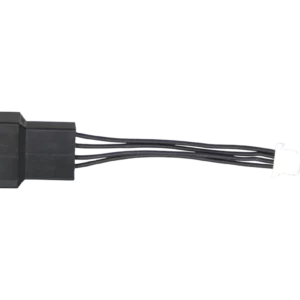
This 12.4V 10A external switching power supply provides up to 124W through a fixed XT30 male connector. It is a plug-and-play power source for compatible Bitcoin home miners that are specifically designed for a 12V or 12.4V XT30 input.
12.4V 10A XT30 Power Supply Specifications
| Specification | Details |
|---|---|
| Manufacturer | Shenzhen Sunshine Technological Co., Ltd. |
| Model | XSM12410000W14 |
| AC input | 100 to 240V AC, 50 or 60Hz |
| DC output | 12.4V, 10A, 124W maximum |
| 80% planning target | 99.2W / 8A continuous |
| DC connector | Fixed XT30 male |
| Form factor | External Class II switching power brick |
| AC cord choices | North America, United Kingdom, Europe, or Australia |
| Safety marks | UL listed E480515, FCC, CE |
| Use | Indoor, dry, ventilated location |
Compatible XT30 Bitcoin Miners
| Miner | Compatibility guidance |
|---|---|
| Bitaxe GT 801 | Compatible at stock and tuned settings that remain within the supply limits. Measure sustained power and connector temperature. |
| Bitaxe Naja Duo | Compatible. Its documented 92W overclock profile remains below the conservative 99.2W planning target, subject to silicon, cooling, and measurement variation. |
| NerdQaxe++ | Compatible with XT30 revisions within the 124W rating. A sustained 100W load is slightly above the conservative 99.2W planning target, so monitor actual draw and use conservative tuning. |
| Bitaxe Turbo Touch | Compatible when the exact revision uses 12V XT30 input and its measured sustained load remains within the limits. |
Not compatible with 5V miners: do not connect this supply to the Bitaxe Gamma, Gamma Duo 650, Supra, Ultra, Max, or Nerdaxe Gamma.
Continuous-Load Planning
The nameplate maximum is 124W. Under the Solo Satoshi 80% guideline, plan sustained operation around 99.2W or 8A. This conservative target provides margin for continuous operation, ambient temperature, conversion losses, and component variation. It does not replace the manufacturer rating or the miner requirements.
- Start at the miner stock settings before increasing frequency or voltage.
- Measure actual wall power and monitor miner, cable, XT30, and power-brick temperatures.
- Keep the brick uncovered on a hard surface with free airflow.
- Stop use if the XT30, cable, or brick becomes unusually hot, loose, discolored, or odorous.
Safe Setup
- Verify the miner label or documentation calls for 12V or 12.4V DC through XT30.
- Inspect the XT30 housing, cable, and brick for damage.
- Connect the XT30 fully with AC power disconnected.
- Connect the selected regional AC cord and place the brick where air can circulate.
- Start the miner at stock settings and confirm stable voltage, hashrate, fan operation, and normal temperatures.
- Recheck the cable and connector after thermal equilibrium and after every tuning change.
Helpful Guides and Compatible Hardware
The 80% Rule for Home Mining
Plan continuous power with electrical and thermal margin instead of operating at the nameplate limit.
Bitaxe GT 801 Bitcoin Solo Miner
Review the compatible 12V XT30 miner, specifications, setup, and tuning guidance.
Bitaxe Naja Duo Bitcoin Solo Miner
See the dual-chip XT30 miner and its documented stock and overclocked power profiles.
NerdQaxe++ Bitcoin Solo Miner
Confirm the exact revision, connector, and measured load before selecting a power supply.
What output does this XT30 power supply provide?
Which Bitcoin miners are compatible?
Does it work with the Bitaxe Naja Duo?
Does it work with the NerdQaxe++?
Can I use it with a 5V Bitaxe Gamma or Supra?
What does the 80% guideline mean for this supply?
Is an XT30 pigtail required?
Which AC cord is included?
Can I use it for heavy overclocking?
Is the output voltage adjustable?
Can I use it outdoors?


Reviews
There are no reviews yet.