Description
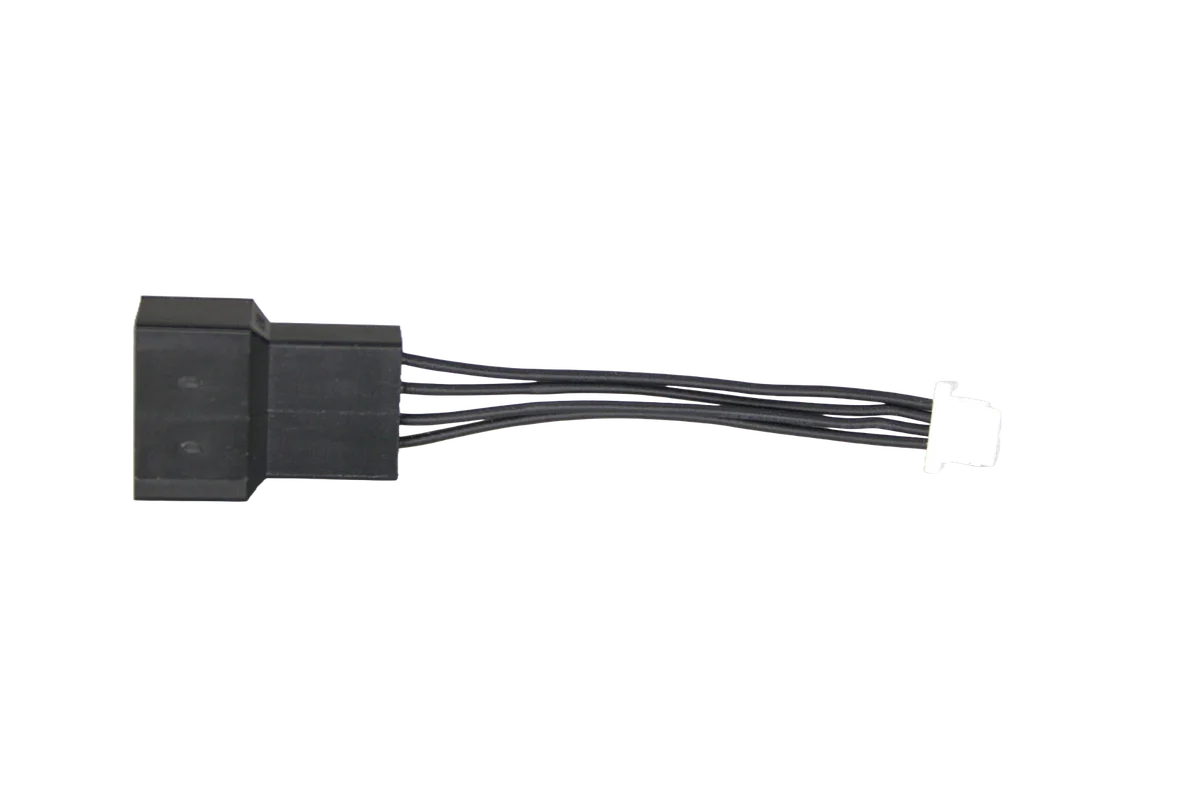
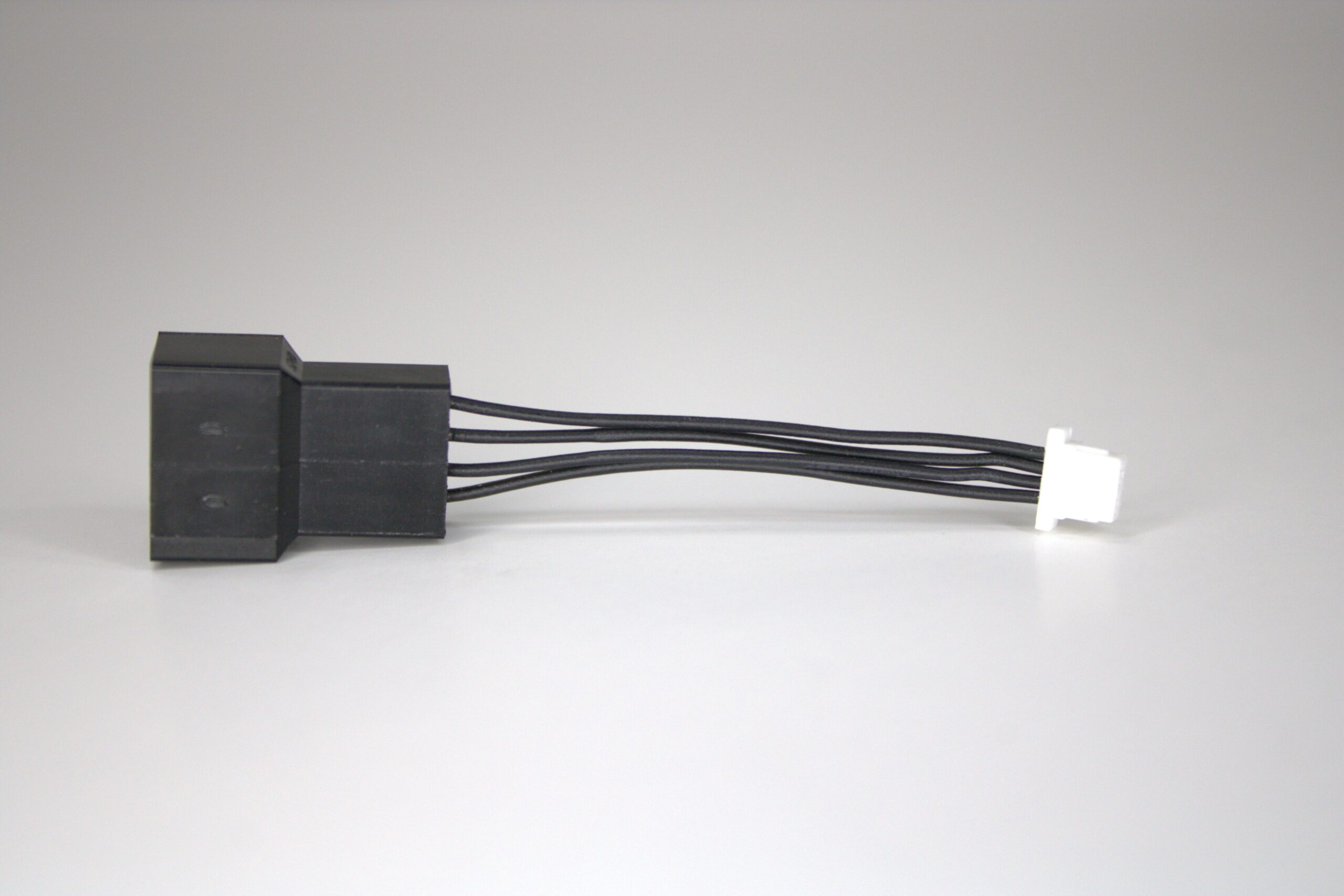
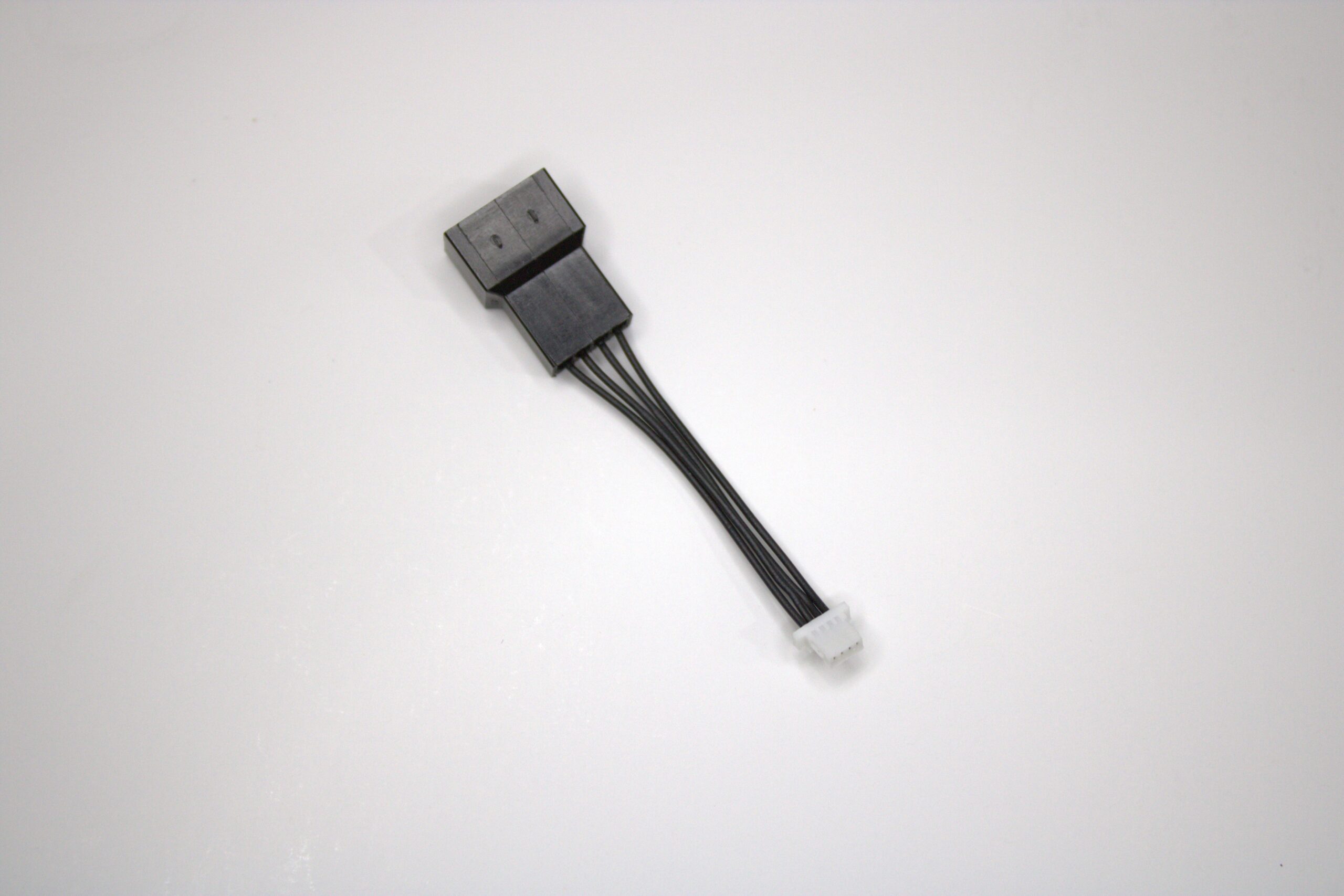
This adapter connects the small four-pin JST-SH fan socket used on compatible Bitaxe boards to a standard four-pin PWM fan plug. It carries fan power, ground, tachometer, and PWM-control conductors so a compatible 5V PWM fan can be used without cutting the miner’s wiring.
Bitaxe Fan Adapter Specifications
| Specification | Details |
|---|---|
| Board-side connector | 4-pin JST-SH, 1.0 mm pitch |
| Fan-side connector | Standard 4-pin PWM fan socket |
| Signals | Fan power, ground, tachometer, and PWM control |
| Voltage conversion | None |
| Fan requirement | 5V, four-wire PWM, matching pinout, and safe header current |
| Available quantities | 1-pack, 2-pack, or 3-pack |
Compatible Miners
| Miner | Compatibility note |
|---|---|
| Bitaxe Gamma 601 and 602 | The official Gamma hardware files show a populated 4-pin JST-SH 1.0 mm fan socket alongside the standard four-pin fan header. Use the adapter only when connecting through the small JST-SH socket. |
| Bitaxe Supra | The official Supra hardware files include the same JST-SH fan footprint. Confirm that the socket is populated and the exact board revision supplies 5V before ordering. |
Not universally required: the Bitaxe Gamma Duo 650 and Nerdaxe Gamma hardware files use a standard four-pin fan header, so this adapter is generally unnecessary for those boards. Do not assume compatibility with the Bitaxe GT, NerdQaxe++, Naja Duo, Gamma Hex, or other multi-chip miners; inspect the physical connector, schematic, fan voltage, and pinout first.
How to Choose a Fan
- Use a 5V fan, not a 12V desktop-PC fan.
- Choose a four-wire PWM fan if you want firmware speed control and tachometer feedback.
- Confirm fan size, thickness, mounting-hole spacing, screw length, airflow direction, and heatsink clearance.
- Check starting current and running current against the miner’s fan-header capability.
- Do not use the adapter as a Y-splitter; it provides one standard PWM fan connection.
If you need a stock-format replacement instead of adapting a standard PWM plug, compare your original connector with the OEM Bitaxe 40mm replacement fan before ordering.
Installation
- Shut down the miner, disconnect its DC supply, and let the heatsink cool.
- Photograph the original fan orientation and cable routing.
- Compare the adapter’s JST-SH plug and pin order with the populated board socket; never force the connector.
- Connect the adapter to the board and the compatible 5V PWM fan to the standard socket.
- Secure the cable away from the blades, heatsink edges, and hot voltage-regulator components.
- Power on at stock settings and immediately confirm fan rotation, RPM reporting, PWM response, ASIC temperature, and regulator temperature.
- Shut down at once if the fan does not start or temperatures rise unexpectedly.
Warranty & Returns
Solo Satoshi provides a 6-month limited warranty from delivery and handles warranty claims. See our Return & Warranty Policy for details.
Eligible unused items may be returned within 14 days of the order date, subject to the conditions and fees in our Return & Warranty Policy.
Helpful Guides and Compatible Hardware
Bitaxe Gamma 602 Miner
The current single-chip Gamma listing with its documented 5V PWM cooling requirements.
OEM Bitaxe 40mm Replacement Fan
Compare the original connector and board header before choosing an adapter or direct replacement.
Choosing the Best Bitaxe Cooling Solution
Compare fan size, airflow, heatsinks, mounting, power, and thermal limits.
Bitaxe Maintenance and Care
Clean the miner, inspect the fan and connectors, and verify temperatures after service.
What connectors does this adapter use?
Which miners are confirmed compatible?
Does the Bitaxe Gamma Duo 650 need this adapter?
Does the Nerdaxe Gamma need this adapter?
Will this adapter power a 12V PWM fan from a Bitaxe Gamma?
Does it split one header into two fan connections?
Does it preserve PWM and RPM monitoring?
Can I connect it in either orientation?
What should I test after installing it?
Is a fan included?
Reviews for Bitaxe JST-SH to 4-Pin PWM Fan Adapter
There are no reviews yet.