


Description
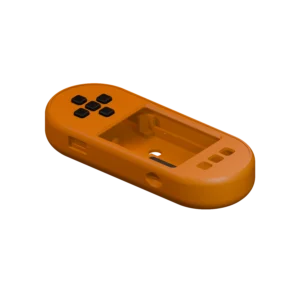
The Bitaxe GT Stand Free .STL Download is a digital model for printing the Solo Satoshi vented GT stand at home. Its tall frame, side rails, and honeycomb openings are shaped around the Bitaxe GT form factor while preserving access for the miner and its cooling path.
Compatible Miners
| Miner or board family | Fit guidance |
|---|---|
| Bitaxe GT | Compatible with the standard Bitaxe GT board, cooler, and frame layout. |
| Other Bitaxe models | Not advertised as compatible. Use the dedicated standard Bitaxe stand download for Gamma, legacy single-chip boards, and Duo 650. |
How to Print the Stand
- Download the ZIP archive and extract the included STL file or files.
- Import the model into your preferred slicer and keep it at 100% scale for the first print.
- Choose material and print settings appropriate for your printer, nozzle, environment, and the model orientation shown in your slicer.
- Preview every layer, then print and allow the part to cool before removing it from the build plate.
- Remove any brim or supports carefully and inspect the part for cracks, warping, sharp edges, or loose strands.
- Test-fit the unpowered miner without forcing the PCB, heatsink, fan, display, connectors, or cables.
PLA is easy to print for ordinary indoor use. PETG can provide better temperature tolerance where the room runs warmer. Material behavior varies by brand and printer; keep every printed stand away from direct heater exhaust, sunlight concentrated through glass, and surfaces hot enough to soften the selected filament.
Fit, Airflow, and Safety
- Board revisions, custom heatsinks, enclosures, fan guards, feet, and cable routing can change fit.
- Never force a miner into the stand or let the stand press against components.
- Keep the complete fan intake and exhaust path open.
- Route cables so their weight does not pull the miner or stand over.
- Place the finished stand on a flat, stable, nonflammable surface.
- Inspect printed parts periodically for heat deformation, cracks, and looseness.
Download Contents
- 1 STL file in 1 ZIP archive
Digital product only: No printed stand, miner, filament, printer, power supply, cables, or mounting hardware is included or shipped.
Helpful Guides
Bitaxe Setup Guide
Connect power, configure Wi-Fi and pool details, and verify temperatures and accepted shares.
Miner Maintenance and Care
Keep the board, fan, heatsink, cables, and printed stand clean and unobstructed.
Bitcoin Miner Cooling Guide
Review airflow, heatsink, fan, and ambient-temperature considerations for compact miners.
3D Printing Accessories
Browse printable files and finished stands for Bitcoin home-mining setups.
Is this a physical Bitaxe GT stand?
Which miner fits this stand?
Does it fit a Bitaxe Gamma or Duo 650?
How many model files are included?
Should I change the model scale?
Which filament should I use?
Do I need supports?
Will it fit a modified Bitaxe GT?
Does the vent pattern guarantee lower temperatures?
What is included?


Reviews
There are no reviews yet.