


Description
This OEM-style Caizhu-Fan replacement is a 40 × 40 × 20 mm, 5V, four-wire cooling fan for compatible single-chip Bitaxe and Nerdaxe miners. Choose the connector that matches the populated fan header on your exact board: Micro JST or standard 4-pin PWM.
OEM Bitaxe 40mm Fan Specifications
| Specification | Details |
|---|---|
| Manufacturer | Caizhu-Fan |
| Dimensions | 40 × 40 × 20 mm |
| Voltage | 5V DC |
| Connector choices | Micro JST or standard 4-pin PWM |
| Control | Four-wire power, ground, tachometer, and PWM |
| Bearing | Dual ball bearing |
| Maximum current | 0.24A listed |
| Maximum speed | 7500 RPM listed |
| Airflow | Approximately 9 CFM listed |
| Frame | Five-blade black 40mm frame |
| Ships from | Conroe, Texas, USA |
Connector Selection and Miner Compatibility
| Miner family | Choose | Compatibility note |
|---|---|---|
| Bitaxe Gamma 601/602 | Micro JST or 4-pin PWM | Official Gamma hardware supports both connector footprints, but the populated connector varies by assembly. Match the physical board. |
| Bitaxe Gamma Duo 650 | 4-pin PWM | The official Duo fan design uses a standard four-pin header. Confirm the production-board connector before ordering. |
| Bitaxe Supra | Match the board | Supra hardware revisions can provide Micro JST and/or standard PWM footprints. Inspect the populated connector. |
| Bitaxe Max and Ultra | 4-pin PWM | Official legacy designs use the standard four-pin header; verify the exact assembled revision and 40mm clearance. |
| Nerdaxe Gamma | 4-pin PWM | Official Nerdaxe Gamma hardware uses a standard four-pin 5V fan header. |
Not for 12V multi-chip miners: this 5V 40mm fan is not a direct replacement for the larger 12V cooling used by the Bitaxe GT, NerdQaxe++, Naja Duo, Turbo Touch, or Gamma Hex.
Micro JST vs. Standard PWM
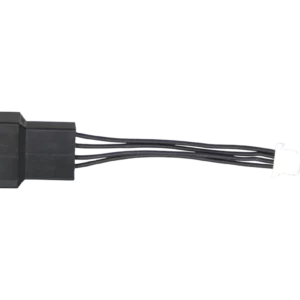
- Micro JST: compact white four-pin plug used on some Gamma and Supra assemblies.
- 4-pin PWM: larger standard fan plug used on legacy Bitaxe boards, Nerdaxe Gamma, Gamma Duo, and other compatible assemblies.
If your board has only the small JST-SH socket but you want to use a standard PWM-plug fan, the Bitaxe JST-SH to 4-pin PWM fan adapter may be appropriate. Verify the exact board pinout and 5V fan requirement first.
Installation
- Shut down the miner, disconnect the 5V supply, and let the heatsink cool.
- Photograph the original airflow direction, connector orientation, and cable routing.
- Confirm the replacement is the 5V variation with the connector selected at checkout.
- Transfer or install the mounting screws evenly without cracking the fan frame or contacting the PCB.
- Route the cable away from the blades, heatsink, exposed components, and sharp edges.
- Connect the keyed plug without forcing it.
- Power on at stock settings and immediately verify rotation, RPM reporting, PWM response, ASIC temperature, and regulator temperature.
- Shut down if the fan fails to start, reports abnormal RPM, or temperatures rise unexpectedly.
Cooling Expectations
A replacement fan restores airflow; it does not guarantee a particular ASIC temperature or overclock. Heatsink contact, thermal compound, dust, ambient temperature, case restriction, voltage, frequency, and silicon variation all affect results. Compare stabilized temperatures before and after service and leave appropriate thermal margin.
Helpful Guides and Compatible Hardware
Bitaxe Gamma 602 Miner
The current single-chip Bitaxe platform using a 40mm 5V PWM cooling system.
Bitaxe Fan Connector Adapter
Connect a compatible standard PWM-plug 5V fan to a supported board with the small JST-SH socket.
Bitaxe Heatsink Upgrade
Pair correct airflow with a compatible heatsink and proper thermal-interface installation.
Bitaxe Maintenance and Care
Clean dust, inspect cables, replace thermal compound when needed, and verify temperatures after service.
Is this fan 5V or 12V?
What size is the fan?
Which connector should I choose?
Does it fit the Bitaxe Gamma 602?
Does it fit the Bitaxe Gamma Duo 650?
Does it fit Bitaxe Max, Ultra, or Supra?
Does it fit the Nerdaxe Gamma?
Does it fit the Bitaxe GT, NerdQaxe++, Naja Duo, or Turbo Touch?
What are the listed speed and airflow?
Will a new fan make overclocking safe?
What should I verify immediately after installation?
What ships with the selected variation?


Reviews
There are no reviews yet.