



Description
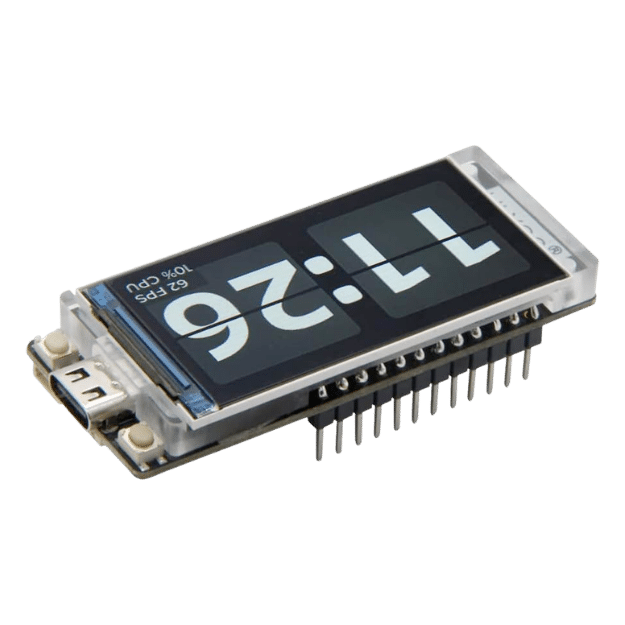
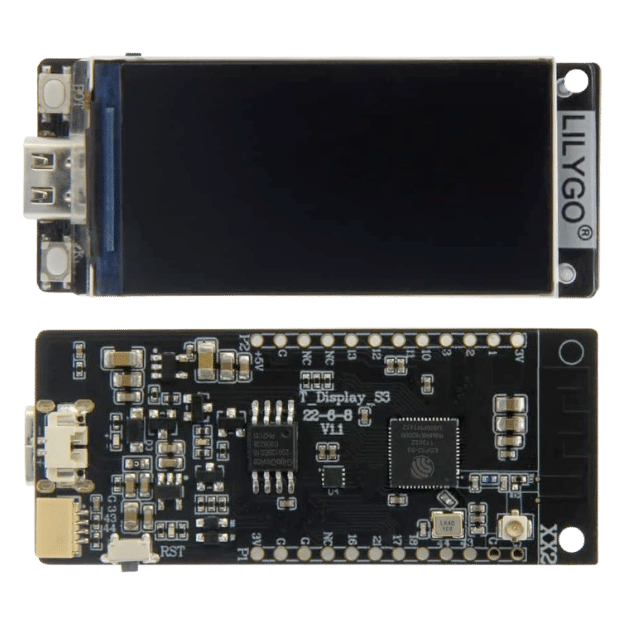
The LILYGO T-Display S3 H577 is the soldered-pin display and ESP32-S3 controller module used by compatible NerdQaxe++ revisions. It combines a 1.9-inch 170 × 320 IPS color display, ESP32-S3R8 controller, 16 MB flash, 8 MB OPI PSRAM, USB-C programming, and pre-soldered headers in one replacement assembly.
NerdQaxe++ Replacement Screen Compatibility
This module is a direct hardware replacement for NerdQaxe++ revisions built around the LILYGO T-Display S3 H577. It may also work in other open-source miners that explicitly specify the same H577 soldered-pin module, but the exact header layout, cable connections, enclosure clearance, and firmware target must match.
The module is more than an LCD: its ESP32-S3 runs the miner interface and communications. Replacing it therefore requires flashing the correct firmware for the exact miner, not merely installing a display driver.
- Primary supported use: compatible NerdQaxe++ H577 replacement.
- Not interchangeable with: small OLED Bitaxe displays, T-Display S3 AMOLED, touch-screen variants, or boards with a different header arrangement.
- Before removal: photograph connector orientation and confirm every pin is straight.
LILYGO T-Display S3 H577 Specifications
| Specification | Details |
|---|---|
| Variant | H577, non-touch, pre-soldered pin headers |
| Controller | ESP32-S3R8, dual-core LX7, up to 240 MHz |
| Display | 1.9-inch IPS TFT LCD |
| Resolution / driver | 170 × 320 / ST7789V |
| Display interface | 8-bit parallel |
| Flash / PSRAM | 16 MB flash / 8 MB OPI PSRAM |
| Wireless | 2.4 GHz Wi-Fi and Bluetooth Low Energy |
| Programming | USB-C with BOOT and RESET controls |
| Headers | Pre-soldered 2.54 mm pin headers |
| Firmware | Ships blank; flash the correct miner firmware before installation |
Download the official LILYGO T-Display S3 schematic (PDF).
Flash and Install the Replacement Module
- Confirm the original board is the same H577 soldered-pin T-Display S3.
- Connect the replacement to a computer using a USB-C data cable.
- Open the Solo Satoshi Web Flasher in a supported Chromium-based browser.
- Select the exact NerdQaxe++ firmware target. If the port is not detected, hold BOOT, press and release RESET, then release BOOT and reconnect.
- After flashing completes, disconnect all power from the miner and document the old module’s cable and pin orientation.
- Remove the old module by pulling evenly. Do not twist the header or lever against nearby components.
- Align every pin before applying pressure, reconnect the small cable, then inspect both header rows for offset pins.
- Restore power and confirm the display, Wi-Fi setup, hashrate, fan feedback, and temperature reporting.
Do not hot-swap the module. A reversed or offset header can damage the screen, ESP32-S3, or miner controller circuitry.
What’s Included
- 1 × genuine LILYGO T-Display S3 H577 module with pre-soldered headers
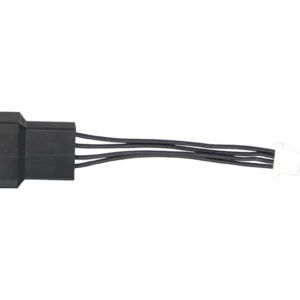
- 1 × JST 1.25 mm 2-pin lead
- Anti-static packaging
Not included: USB-C data cable, miner, stand, or enclosure.
Helpful Guides
AxeOS Guide
Configure a compatible miner and monitor hashrate, fan speed, temperature, power, and errors.
Bitcoin Miner Maintenance
Clean cooling hardware, inspect wiring, and verify operation after repairs.
Choose a Miner Cooling Upgrade
Understand fan size, voltage, PWM control, airflow, static pressure, and heatsink fit.
Official LILYGO Documentation
The manufacturer schematic is hosted in the Solo Satoshi media library for connector, signal, and board-level reference.
Does this screen fit the NerdQaxe++?
What does H577 mean?
Is this only a replacement LCD?
Does the H577 ship with NerdQaxe++ firmware installed?
Where can I flash NerdQaxe++ firmware?
Why does my computer not detect the module?
Can I replace the screen while the miner is powered?
Will it replace a small Bitaxe OLED display?
What display hardware does it use?
What memory is on the module?
Is a USB-C cable included?
What comes in the package?
Reviews for LilyGo T-Display S3 (H577) Bitcoin Solo Miner Replacement Screen