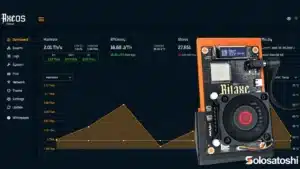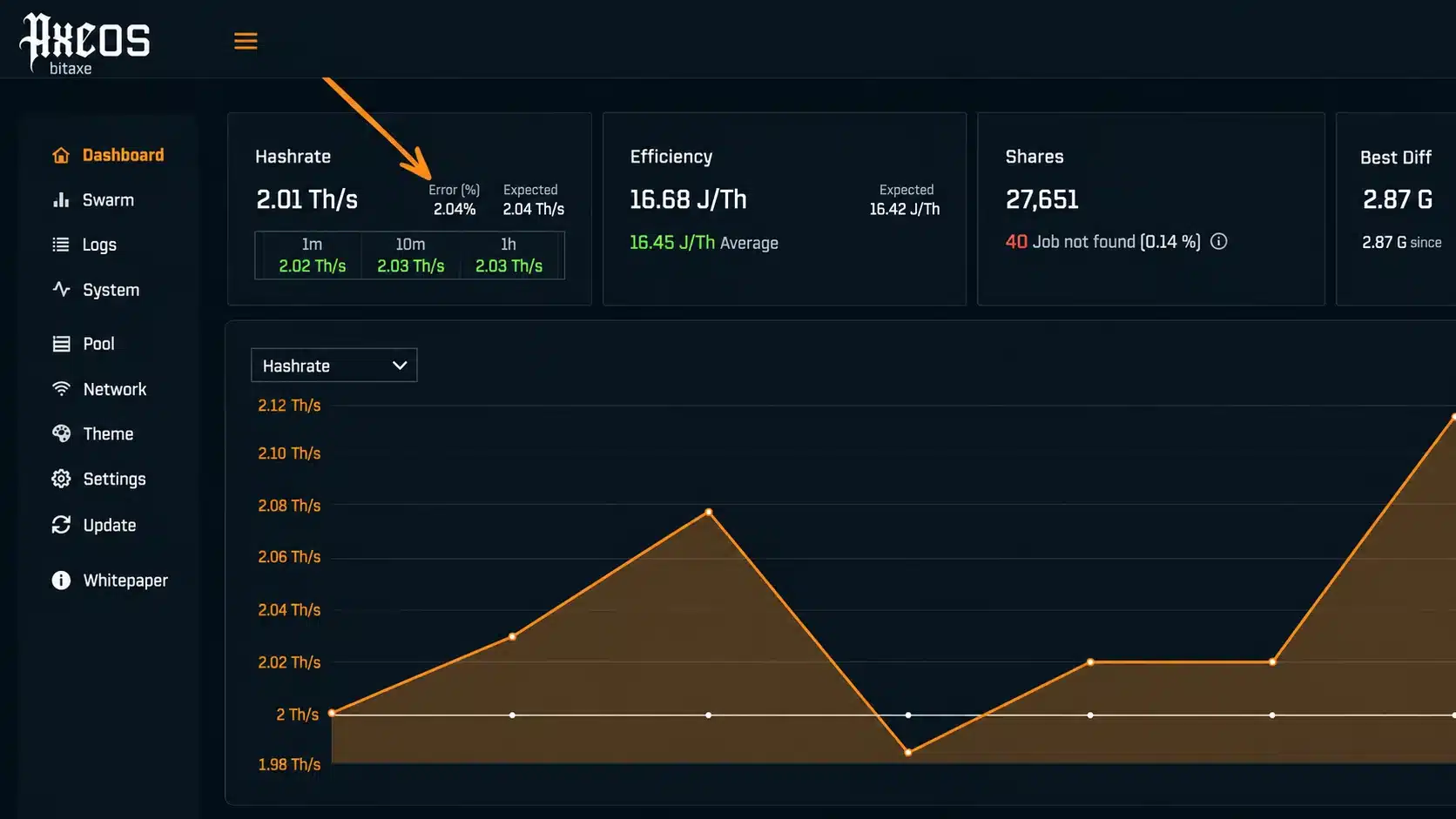
The hashrate error percentage displayed on the AxeOS dashboard is one of the most misunderstood metrics in open-source Bitcoin mining. It appears as a small percentage next to your hashrate reading, and many new miners confuse it with rejected shares or pool-side errors. It is neither.
The error percentage is a hardware-level metric that comes directly from internal registers on the Bitmain ASIC chip (BM1366, BM1368, BM1370, or BM1397) inside your Bitaxe. It represents the ratio of computational errors to total hashes processed by the ASIC, expressed as a percentage. Understanding this number is critical for tuning your miner’s frequency and voltage settings.
How Does ESP-Miner Calculate the Hashrate Error?
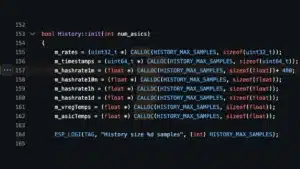
The ESP-Miner firmware (the open-source codebase behind AxeOS, as published on the bitaxeorg GitHub repository) reads two specific hardware registers on the Bitmain ASIC chip every 5 seconds via the ASIC_read_registers() function. These registers are built into the silicon itself and track computational performance at the hardware level.
The two key registers are:
- Register 0x8C (REGISTER_TOTAL_COUNT): Counts the total number of SHA-256 hashes computed by the ASIC since the last read cycle.
- Register 0x4C (REGISTER_ERROR_COUNT): Counts the number of hashes that produced computational errors during that same period.
The firmware converts both register values into hashrate equivalents (measured in GH/s), then calculates the error percentage with this formula:
error_percentage = (error_hashrate / current_hashrate) × 100
For practical context: if your Bitaxe Gamma 602 is hashing at 1,200 GH/s and the error register reports the equivalent of 12 GH/s of errors, the AxeOS dashboard will display a 1.0% error rate. At 1,200 GH/s with 60 GH/s of errors, you would see 5.0%, which signals the chip is approaching its stability limit.
Where Did This Feature Come From?
The hashrate register reading functionality was refined across multiple ESP-Miner releases by developer Mutatrum. Developer WantClue authored the hashrate register statistics initialization code (PR #1263, merged into v2.11.0) to handle edge cases where certain ASIC chip revisions do not expose the error registers in the same way. According to the ESP-Miner v2.11.0 release notes, this update ensures the firmware initializes the statistics data correctly when hashrate registers are unavailable, preventing display errors on older or unsupported chip variants.
The BM1370 (used in the Bitaxe Gamma 602, Bitaxe Duo 650, and Bitaxe GT 801) and BM1366 (used in the legacy Bitaxe Ultra) both support these registers. The BM1397 (legacy Bitaxe Max, discontinued) had more limited register support. If you are running firmware older than v2.11.0, you may not see the error percentage at all, or it may display inaccurate data. Update your firmware to the latest stable release to access this feature.
What the Hashrate Error Percentage Is NOT
This metric is frequently confused with two other concepts. Clarifying the difference is essential for proper troubleshooting.
It is not the same as rejected shares. Rejected shares are submissions your mining pool turned down, typically because they arrived stale (the pool already moved to a new block template) or because the share did not meet the pool’s minimum difficulty. Rejected shares are a network and pool-side metric. The hashrate error percentage is a chip-level hardware metric that measures computational accuracy inside the ASIC before any data reaches the pool.
It is not a Wi-Fi or connectivity error. Network issues affect share delivery, not the ASIC’s internal computation. You can have 0% hashrate errors with terrible Wi-Fi (your chip is computing correctly but shares are not reaching the pool), or 5% hashrate errors with perfect connectivity (your chip is running too hot but the network is fine).
Think of it this way: rejected shares are about what happens after the ASIC produces a result. Hashrate errors are about what happens during computation, inside the chip itself.
What Is a Normal Hashrate Error Percentage?
At stock settings, a healthy Bitaxe running within its designed frequency and voltage range will typically show an error percentage between 0% and 5%. This is completely normal and indicates the ASIC is operating within its stable computational envelope.
| Error Percentage | Status | Recommended Action |
|---|---|---|
| <5% | Healthy, stable | No action needed. Chip is running within designed parameters. |
| >5% | Moderate instability | Reduce frequency immediately. Check ASIC temp, fan speed, and PSU output. Sustained operation here wastes electricity on invalid computations. |
What Causes a High Hashrate Error Percentage?
A rising error percentage is a direct indicator that the ASIC chip is struggling to complete SHA-256 computations accurately. There are four common causes.
1. Frequency Set Too High for the Current Voltage
This is the number one cause. Every ASIC chip has a voltage-frequency curve that defines its stable operating range. When you increase the clock frequency (MHz) without a corresponding voltage increase (mV), the transistors inside the chip cannot switch fast enough to produce correct results. The error register catches these failures.
If you recently overclocked your Bitaxe Gamma and errors climbed, reduce frequency by 25 MHz increments until the error rate drops below 2%.
2. Voltage Too Low for the Current Frequency
The flip side of the same issue. If you undervolted to save power but kept frequency high, the chip does not have enough electrical potential to drive accurate computations. Increase core voltage by 25 mV increments in the AxeOS settings panel while monitoring the error percentage. On the BM1370, stock voltage is typically 1,150 mV to 1,200 mV. Dropping below 1,100 mV at frequencies above 500 MHz will often push errors above 5%.
3. Overheating
When the ASIC chip temperature exceeds approximately 65 to 70°C, computational accuracy begins to degrade. The silicon’s electrical characteristics shift at elevated temperatures, causing the same frequency and voltage combination that was stable at 55°C to produce errors at 72°C. AxeOS includes thermal throttling that reduces frequency automatically above 75°C, but errors can climb before throttling kicks in.
Solutions: ensure your fan is running (check RPM in AxeOS), verify the heatsink is properly seated with adequate thermal paste, and consider a heatsink or cooling upgrade. For overclockers, adding MOSFET heatsinks to the voltage regulator components can reduce board-level heat that radiates to the ASIC.
4. Power Delivery Issues
An undersized or degraded power supply can cause voltage sag under load. When the ASIC demands peak current during hashing and the PSU cannot maintain stable output voltage, the effective voltage at the chip drops below what the frequency requires. This is especially common when running multiple miners from a single PSU, or when using cheap barrel jack adapters that introduce resistance in the power path.
Check your input voltage in AxeOS. For 5V Bitaxe models (Gamma, Supra), input voltage should remain above 4.8V under load. If it drops below 4.7V, your power supply is sagging. For 12V models (Bitaxe GT 801) or miners powered by a Mean Well PSU, verify the DC output with a multimeter while the miner is hashing.
How to Diagnose and Fix High Hashrate Errors
Follow this step-by-step process to identify the root cause and resolve it.
Step 1: Check ASIC Temperature
Open the AxeOS dashboard at http://<your-bitaxe-ip> and note the ASIC temperature. If it is above 70°C, cooling is your first priority. Ensure the fan is spinning (RPM should be visible on the dashboard), verify the heatsink is firmly attached, and check that airflow around the device is not obstructed. Reduce the target temperature in AxeOS settings if needed. See how overheat mode works for more context.
Step 2: Record Your Current Settings
Navigate to the AxeOS settings page at http://<your-bitaxe-ip>/#/settings. Write down the current frequency (MHz), core voltage (mV), and fan speed. You need this baseline to make systematic changes.
Step 3: Reset to Stock Settings
If you are unsure what is causing the errors, reset to stock frequency and voltage for your chip model:
| Chip Model | Bitaxe Models | Stock Frequency | Stock Voltage |
|---|---|---|---|
| BM1370 | Gamma 602, Duo 650, GT 801, Touch | 490 to 525 MHz | 1,150 to 1,200 mV |
| BM1368 | Supra | 490 MHz | 1,150 mV |
| BM1366 | Ultra (legacy) | 485 MHz | 1,150 mV |
Save, restart the miner, and let it run for at least 15 to 30 minutes at stock. If errors drop to 0 to 2%, the problem was your overclock settings. Reapply your overclock gradually, increasing frequency by 25 MHz at a time, waiting 15 minutes between each change, and checking the error percentage after each step.
Step 4: Verify Power Supply
Check the input voltage displayed in AxeOS under system info. For 5V models, anything below 4.8V under load indicates PSU sag. For 12V models, look for drops below 11.5V. If you see voltage sag, try a different power supply. A Mean Well LRS-50-5 is a reliable option for single-chip 5v Bitaxe units. If your voltage is sagging, you may need to back off the overclock settings or upgrade your power supply.
Step 5: Update Firmware
Older firmware versions had known bugs related to hashrate reporting and ASIC register reading. Update to the latest stable ESP-Miner firmware (v2.13.0 as of March 2026) to ensure accurate error reporting. The v2.11.0 release specifically improved hashrate register handling, and v2.13.0 added support for the Bitaxe GT 801 and Duo 650 hardware configurations.
Does the Hashrate Error Affect My Chances of Finding a Block?
Yes, but only indirectly. The error percentage represents wasted computation: hashes that the ASIC attempted but produced incorrect results for. Those invalid hashes do not count toward finding a valid nonce. If 5% of your hashrate is errors, your effective hashrate (the hashes actually contributing to your odds of finding a block) is 5% lower than the number displayed on the dashboard.
At low error rates (0 to 2%), the impact is negligible. At 10%+, you are effectively paying electricity for 10% of your hashrate to accomplish nothing. For context, documented open-source mining block wins have been achieved with hashrates as low as 0.48 TH/s (Block #887,212, March 2025), so every valid hash matters.
The practical takeaway: a slightly lower frequency with 1% errors will outperform a higher frequency with 8% errors in the long run, because more of your computation is valid work.
Hashrate Errors vs. Rejected Shares: A Quick Comparison
| Metric | Hashrate Error % | Rejected Shares % |
|---|---|---|
| Where it happens | Inside the ASIC chip | Between your miner and the mining pool |
| What it measures | Computational accuracy of the silicon | Whether the pool accepted your submitted work |
| Data source | Hardware registers (0x8C, 0x4C) on the ASIC | Stratum protocol responses from the pool |
| Common causes | Frequency too high, voltage too low, overheating, PSU sag | Stale shares (latency), Wi-Fi drops, pool-side issues |
| Where to check | AxeOS dashboard (next to hashrate) or /api/system/info |
AxeOS dashboard (share counters) or pool dashboard |
| Healthy range | 0% to 2% | 0% to 1% |
| Fix approach | Adjust frequency, voltage, cooling, or PSU | Improve Wi-Fi signal, reduce latency, check pool config |
The Silicon Lottery Factor
Not all ASIC chips are created equal. Due to natural variation in the semiconductor manufacturing process (known as the silicon lottery), two BM1370 chips manufactured on the same wafer can have different stable operating ceilings. One chip might run at 600 MHz with 1% errors, while an identically specified chip from the same production batch might show 4% errors at that same frequency.
This is why the error percentage is so valuable as a tuning tool. It gives you a direct, per-chip measurement of where your specific piece of silicon hits its stability wall. Rather than following a fixed overclock recipe, use the error percentage as your guide: increase frequency until errors begin rising above 2%, then back off 25 MHz. That is your chip’s personal sweet spot.
For more detail on why chips behave differently, see our guide on the silicon lottery and why no two ASIC chips perform the same.
How to Monitor Errors via the AxeOS API
For miners running multiple devices, monitoring the error percentage programmatically is more efficient than checking each dashboard individually. The AxeOS REST API exposes the relevant data at GET /api/system/info.
The response includes a hashrateMonitor object structured like this:
"hashrateMonitor": {
  "asics": [{
    "total": 1072.24,
    "domains": [273.58, 276.21, 268.49, 252.19],
    "errorCount": 1415
  }]
}
The total field is the overall ASIC hashrate in GH/s. The domains array breaks hashrate down by ASIC core domains (useful for diagnosing partial chip failures). The errorCount is the cumulative error counter since the last boot. To calculate a current error rate, poll the endpoint at intervals and compute the delta.
Key Takeaways
- The hashrate error percentage comes from hardware registers (0x8C and 0x4C) built into the Bitmain ASIC chip, not from your mining pool or network.
- It measures the ratio of computational errors to total hashes, polled every 5 seconds by the ESP-Miner firmware.
- A healthy miner at stock settings will show 0 to 2% errors. Anything above 5% indicates the chip is being pushed beyond its stable operating range.
- The four common causes are: frequency too high, voltage too low, overheating, and power supply sag.
- Use the error percentage as your primary tuning guide when overclocking: find the highest frequency where errors stay below 2% for your specific chip.
- This metric is different from rejected shares. Errors happen inside the chip. Rejections happen between the chip and the pool.
- Update to ESP-Miner v2.11.0 or later (v2.13.0 recommended as of March 2026) for accurate error reporting.
Ready to Start Mining?
Solo Satoshi is a verified seller on bitaxe.org and an authorized distributor for Canaan and Start9 Labs. Every open-source miner is manufactured in the USA by our manufacturing partner, tested before shipping, and backed by a 90-day Solo Satoshi warranty with real human support. With over $1M+ in documented open-source mining block wins using the same types of hardware we sell, including a confirmed Solo Satoshi customer who won Block #920,440 with a NerdQaxe++ cluster and received 3.141 BTC (approximately $347,000), these devices are not toys. They are functional Bitcoin miners with on-chain verifiable results.
Browse all Bitaxe models | Shop all Bitcoin miners | How to set up your Bitaxe | Bitcoin mining profitability calculator
Last Updated: March 27, 2026 | Firmware version: ESP-Miner v2.13.0