Mujina wordmark and original project headmark, presented in the Nano 3S interface’s neon style.
Mujina is an open-source Bitcoin mining project from The 256 Foundation, built around a shared mining core, hardware drivers, and an API. The mainline software runs as a daemon on a host computer. A separate community fork brings Mujina, a web dashboard, and alpha firmware releases to the Avalon Nano 3S; broader MujinaOS control-board images remain a mainline development goal.
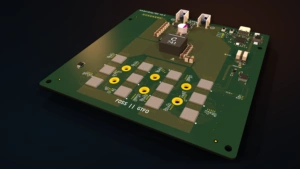
On a supported Bitaxe Gamma setup, the board’s ESP32 runs pass-through firmware while Mujina on the host manages the mining work. That division is the key to understanding the project: the same mining core can work with different boards through their drivers, while hardware support still has to be implemented and tested board by board.
This guide covers the architecture, documented compatibility, differences from AxeOS and Nerd*OS, the Nano 3S fork’s web interface, and a CPU-only example that lets you explore mainline Mujina without flashing a miner.
Quick overview
- What it is: Open-source mining software written in Rust, with a common core and hardware-specific drivers.
- What runs today: The host-based
mujina-minerddaemon, a Stratum v1 client, CPU hashing, and documented Gamma support. - Separate hardware work: The Nano 3S community fork has an alpha dashboard and firmware releases. Ember One and S19 support have their own maturity limits.
- Mainline limits: Broader turnkey MujinaOS images, user-facing tuning, and parts of the control interface remain unfinished in the pinned mainline snapshot.
- Where to start: Use the CPU-only dummy-job example to inspect the API before considering hardware changes.
What Is Mujina?
Mujina is a mining software platform intended to separate the common work of Bitcoin mining from the details of a particular manufacturer’s hardware. Its source is available under GPL-3.0, and its architecture connects job sources, hashing workers, board management, and external API clients.
The project calls itself mining firmware, but the mainline practical entry point is a host application. A daemon is a program that keeps running in the background. Here, mujina-minerd maintains the mining pipeline while a browser or command-line client reads its status through HTTP.
That is different from assuming there is a ready-made operating-system image you can install on any ASIC miner. A reusable software core does not remove the need for a compatible board driver, a supported transport, appropriate board firmware, and a tested installation path.
Why open-source firmware matters
Open source lets users inspect how software schedules work, communicates with hardware, and handles mining connections. Mujina’s README also states that it charges no developer fee. Your chosen pool’s fees, electricity, equipment, and other operating costs remain separate.
Inspectable software creates opportunities for independent review and modification, but it does not prove that every implementation is secure, efficient, or ready for unattended operation. Our explanation of why open-source mining firmware matters covers the broader ownership and transparency questions.
How Mining Work Moves Through Mujina
Mujina receives jobs from a source, schedules them across hashing workers, and returns qualifying shares to the source that supplied the work. Board drivers handle the hardware-specific communication beneath that shared pipeline.

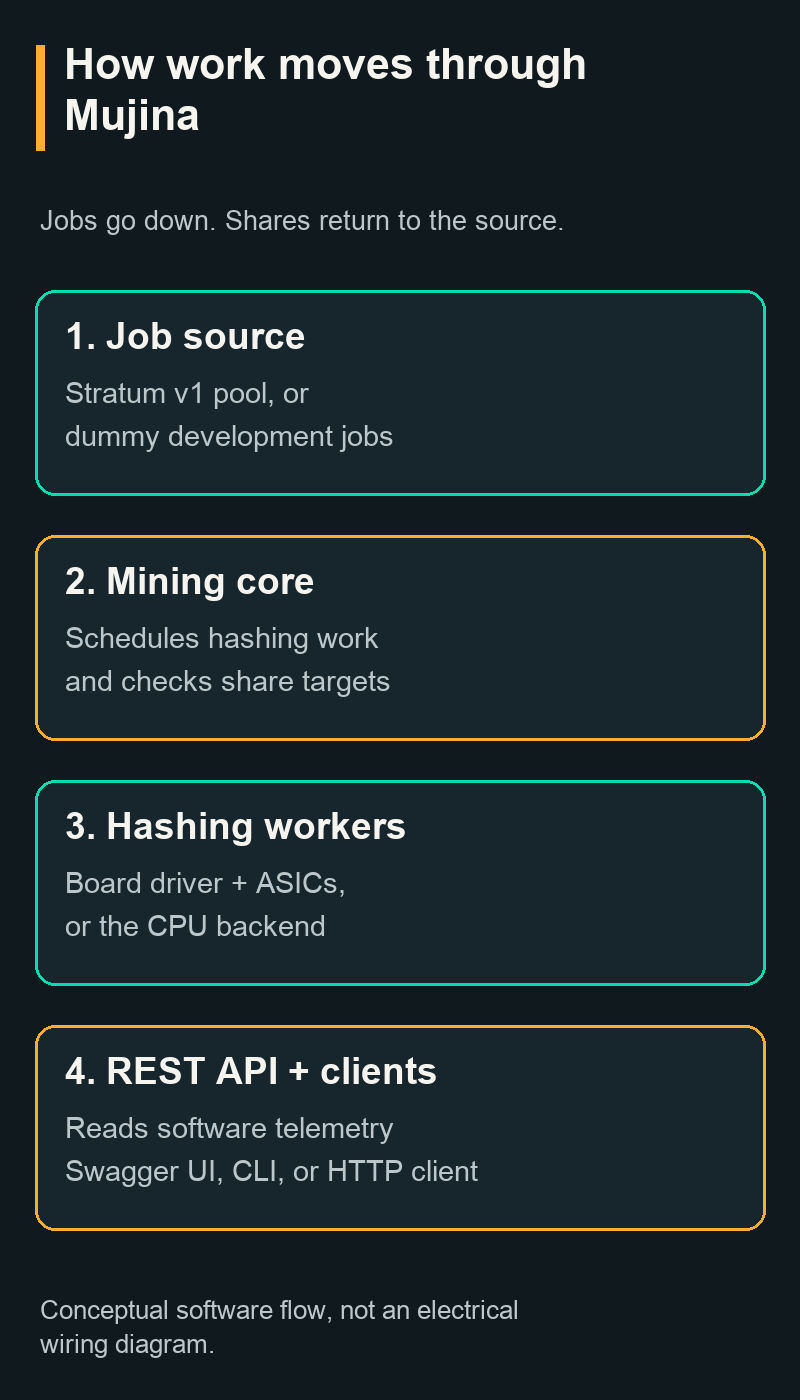
- A job source supplies work. The current daemon can use a Stratum v1 pool connection. With no pool URL configured, it uses a built-in dummy source for development.
- The scheduler distributes jobs. It sees a common hashing-worker interface rather than needing separate scheduling logic for every ASIC family.
- The driver reaches the board. Hardware-specific code composes ASIC communication, management services, and the underlying transport. USB serial is the current physical path described for Gamma.
- Workers return share candidates. The software checks their difficulty and sends pool-worthy shares back to the originating source.
- The API reports state. External clients can read miner, board, and source information. Which readings exist depends on the driver and the connected hardware.
A share demonstrates work at a particular difficulty; it does not automatically represent a Bitcoin block. The pool’s target and Bitcoin’s network target serve different purposes. Likewise, choosing Mujina does not determine whether you use shared rewards or a solo service. The solo-mining infrastructure and reward explanation separates those choices.
The architectural benefit is reuse. A new board can expose hashing workers to the scheduler while supplying its own ASIC and peripheral implementation. The difficult hardware integration still exists; it moves behind a defined interface rather than becoming a new mining program for every board.
Which Miners Does Mujina Support?
The current README lists Bitaxe Gamma and the CPU backend as working starting points. The Nano 3S has its own community fork and alpha releases. Other hardware needs more specific labels: the compatibility documentation describes EmberOne/00 support under rework, S19 support in a fork, and Intel BZM2 work in progress.
Version context: The table distinguishes the mainline source snapshot f7c45b4 from the project’s compatibility page, which is dated July 2026. The Nano 3S row is based on its separate repository and September releases, not that July matrix. A “working” entry in either source should not be read as a guarantee for every hardware revision or a production-ready installer.
| Hardware | Documented status | What that means |
|---|---|---|
| Bitaxe Gamma | Working in mainline | Single BM1370 design; requires compatible pass-through firmware and a host. Confirm the exact board revision. |
| CPU backend | Working in mainline | Software hashing for development and learning. No ASIC device is required. |
| EmberOne/00 | Compatibility page: working, driver under rework. Current README: “landing now.” | Twelve-BM1362 hashboard with its own USB interface. Treat bring-up and driver maturity as revision-specific. |
| Antminer S19j Pro and S19k Pro | In Schnitzel’s fork | Separate prototype work, with an unsettled stock-control-board installation path. Not blanket S19-family support. |
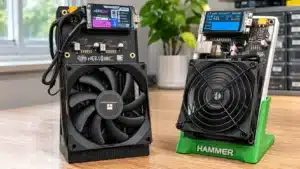
| Avalon Nano 3S | Separate community fork, alpha releases | Mujina runs on its K230 Linux core alongside custom RTOS code on the other core. Includes a device-specific web dashboard; not mainline Gamma firmware. |
| Intel BZM2 boards | In progress in johnny9’s Bonanza branch | Development work outside mainline, not a supported turnkey installation. |
The official hardware compatibility matrix identifies the repositories behind those labels. For Gamma, the current source’s board-support document names rhapd-bitaxe-gamma as the required firmware. It replaces the deprecated bitaxe-raw project, although the driver still recognizes that older protocol.
A shared ASIC name alone is insufficient evidence of support. Board wiring, regulators, temperature sensors, management firmware, and communications can differ. Gamma support does not automatically cover Gamma Duo, Gamma Turbo, NerdAxe, or NerdQAxe models. The Bitaxe model and architecture guide explains why family names and board identities matter.
How Mujina Differs from AxeOS and Nerd*OS
In a normal standalone Bitaxe configuration, ESP-Miner runs on the onboard ESP32 and provides the AxeOS web interface. In the documented Mujina Gamma configuration, a separate host runs the mining daemon and the ESP32 exposes hardware access over USB.
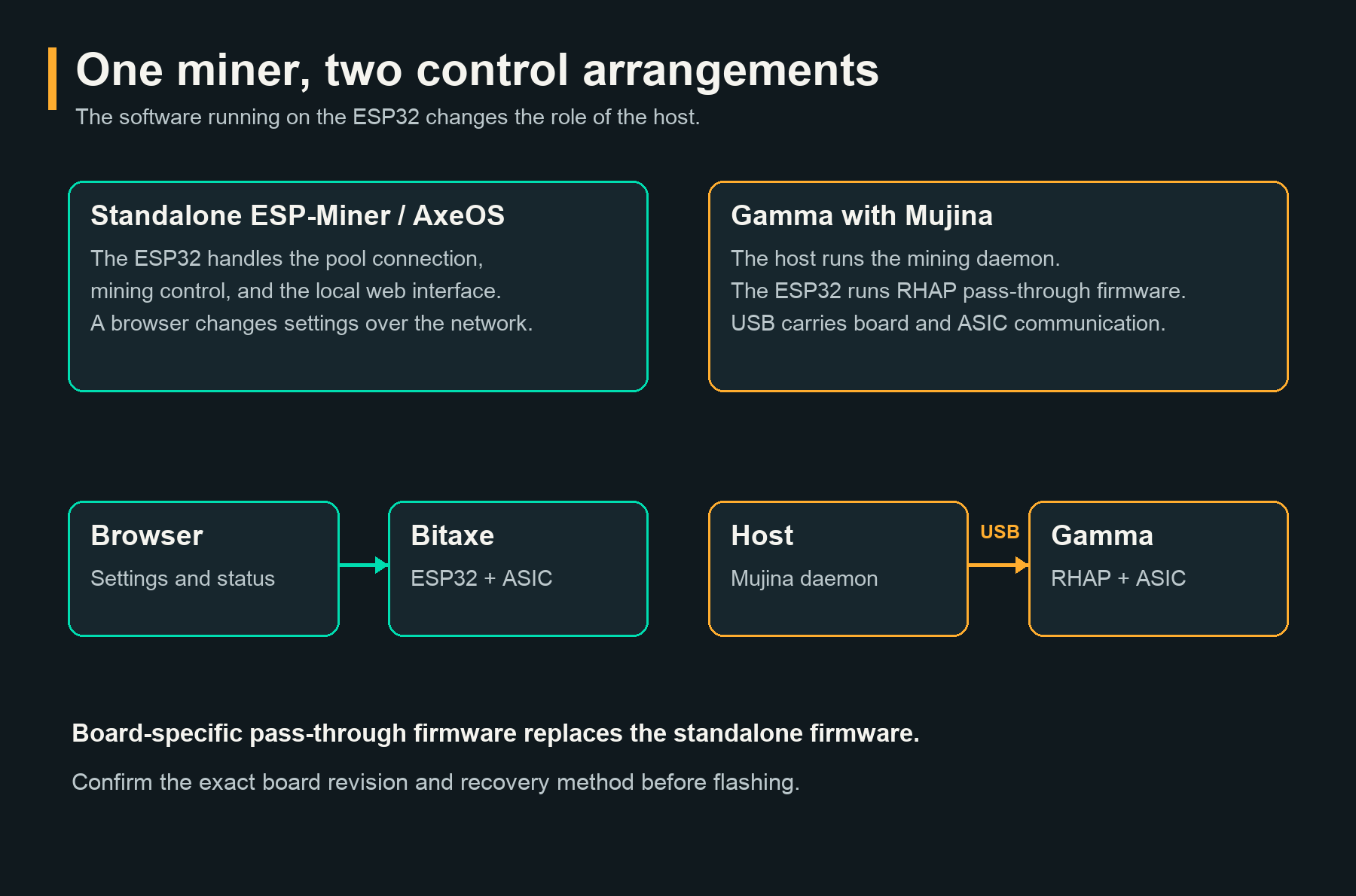
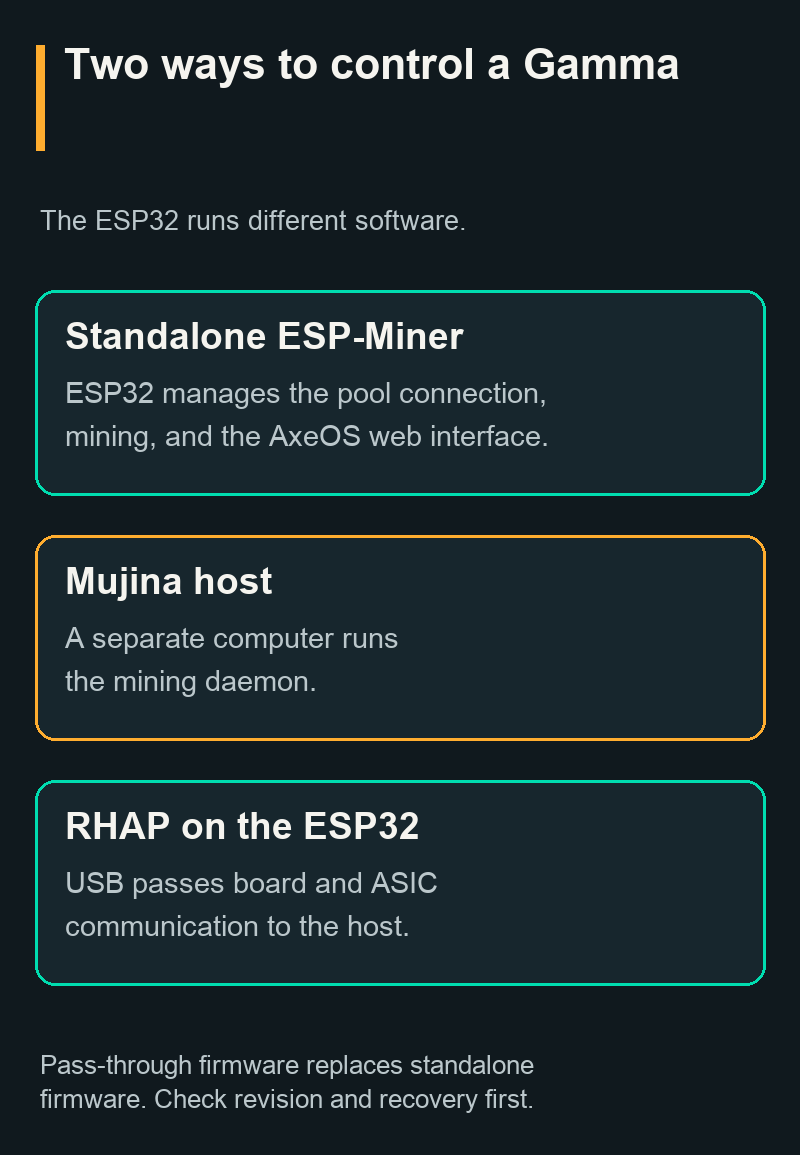
Think of the difference as a change in where mining control lives. With standalone ESP-Miner, you normally use a browser to configure a self-contained networked miner. With Mujina’s Gamma arrangement, you must keep the host and daemon running, while board-side firmware provides the communication bridge.
| Software | Where mining control runs | Practical orientation |
|---|---|---|
| ESP-Miner / AxeOS | On the supported Bitaxe’s onboard controller | Standalone mining with a local browser interface |
| Nerd*OS | On the controller of a supported NerdAxe-family device | Device-specific standalone operation and web controls |
| Mujina with Gamma | On a separate host, with board-side RHAP pass-through | Developer-oriented shared mining core, drivers, and HTTP API |
| Nano 3S community fork | On the Nano 3S’s own K230 controller, split between Linux and RTOS cores | Device-specific dashboard, tuning, pool configuration, and firmware update paths in an alpha fork |
For familiar standalone workflows, see how AxeOS runs a Bitaxe and the Nerd*OS operating guide. Those are operating guides for their own supported devices, not evidence that Mujina supports the same hardware.
What to check before changing a Gamma
Installing RHAP changes the board from its normal standalone firmware arrangement. Before flashing, confirm the exact board, the required pass-through build, the USB data path, power requirements, and a documented way to restore the compatible standalone firmware.
The official Gamma setup guide and its linked firmware repository are the right starting points for hardware work. A successful CPU example does not validate a Gamma build, and a photo of a retail Gamma does not establish revision compatibility. The CPU procedure below changes no miner firmware.
For the separate task of restoring compatible standalone firmware, the Bitaxe Web Flasher guide explains exact model matching and factory-image installation. Its verified AxeOS release path is different from building or installing RHAP.
Nano 3S Fork: What the Web Interface Looks Like
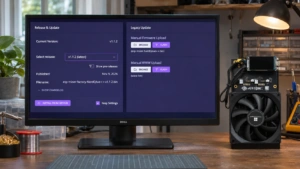
Yes, Mujina can run on the Avalon Nano 3S through Aadhi Maalaven’s separate community fork. It includes a web dashboard with hashrate and power tiles, board diagnostics, tuning controls, pool settings, and a firmware page. These are fork-specific features, not evidence that the pinned mainline daemon has the same interface.
The Nano 3S fork’s source and hardware instructions describe a split implementation: Mujina runs on the K230’s Linux core, while custom RTOS code on the other core communicates with the ASIC chain. Jobs and telemetry cross the processor’s IPC interface. This differs from Gamma’s separate USB host arrangement.
Dashboard readings and their source
The image below renders the released alpha-v4 dashboard with a developer-reported test endpoint: 4.45 TH/s and 84 W. In a September 16 development test, the author reported a five-minute autotuning run rising from 3.88 to 4.45 TH/s while reported power rose from 62 to 84 W. This was an intermediate tuning test, not a sustained performance specification or an independent wall-power measurement.
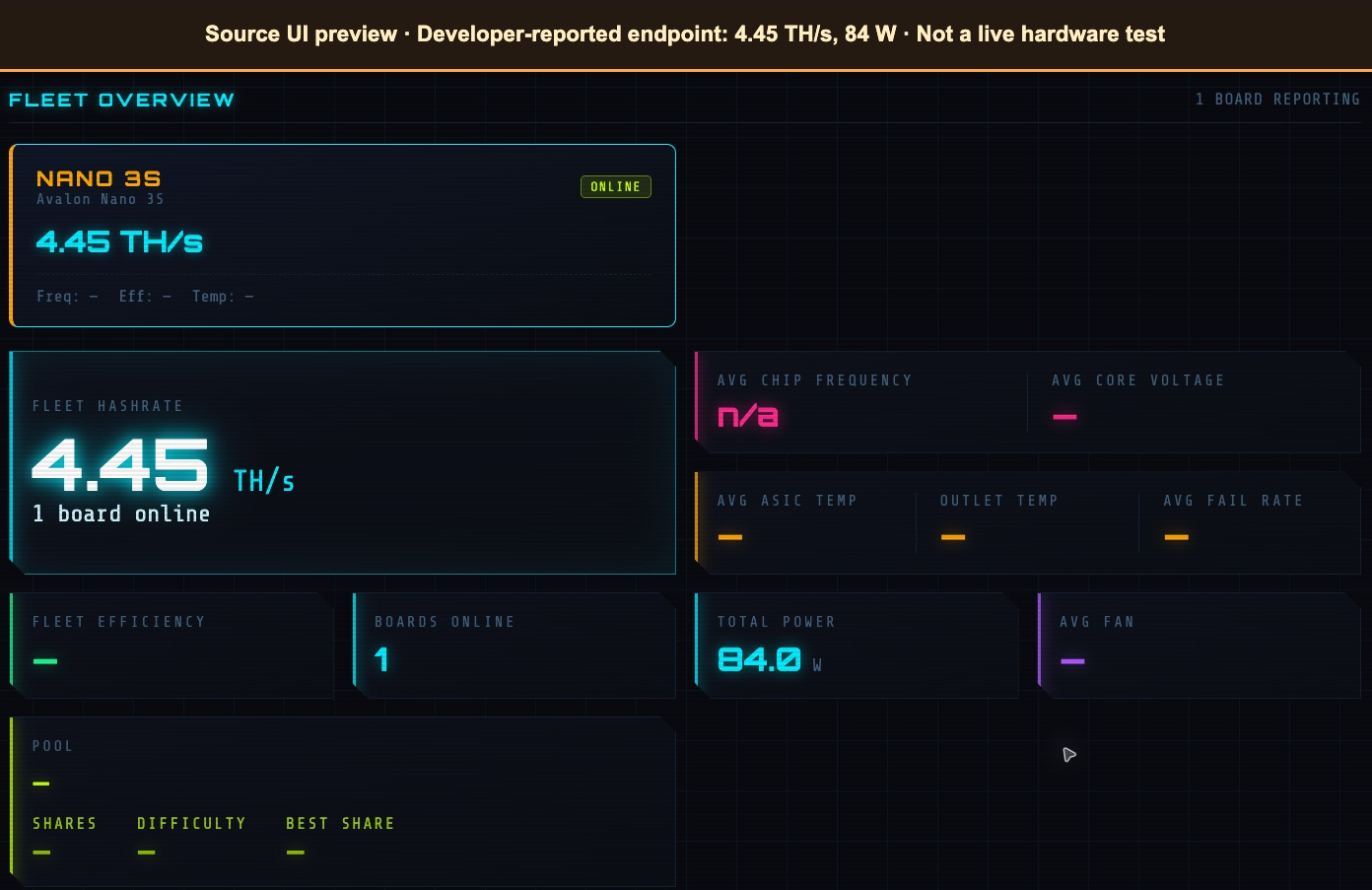
The developer reported temperatures across the run as 57–64°C, but did not provide a matching temperature for that exact endpoint. Temperature, fan speed, voltage, frequency, shares, and efficiency therefore remain unavailable in this illustration. A dashboard number also needs context: device-reported power and hashrate are not automatically equivalent to an independently measured wall-power efficiency result.
Tuning and fan controls
The Nano fork exposes frequency, voltage, power-target, fan, and hashrate-target autotuning controls in its source and release notes. Its dashboard also contains pause and reboot actions. The separate Tuning page in alpha-v4 adds the hashrate-target autotuner and temperature-based fan PID controls.
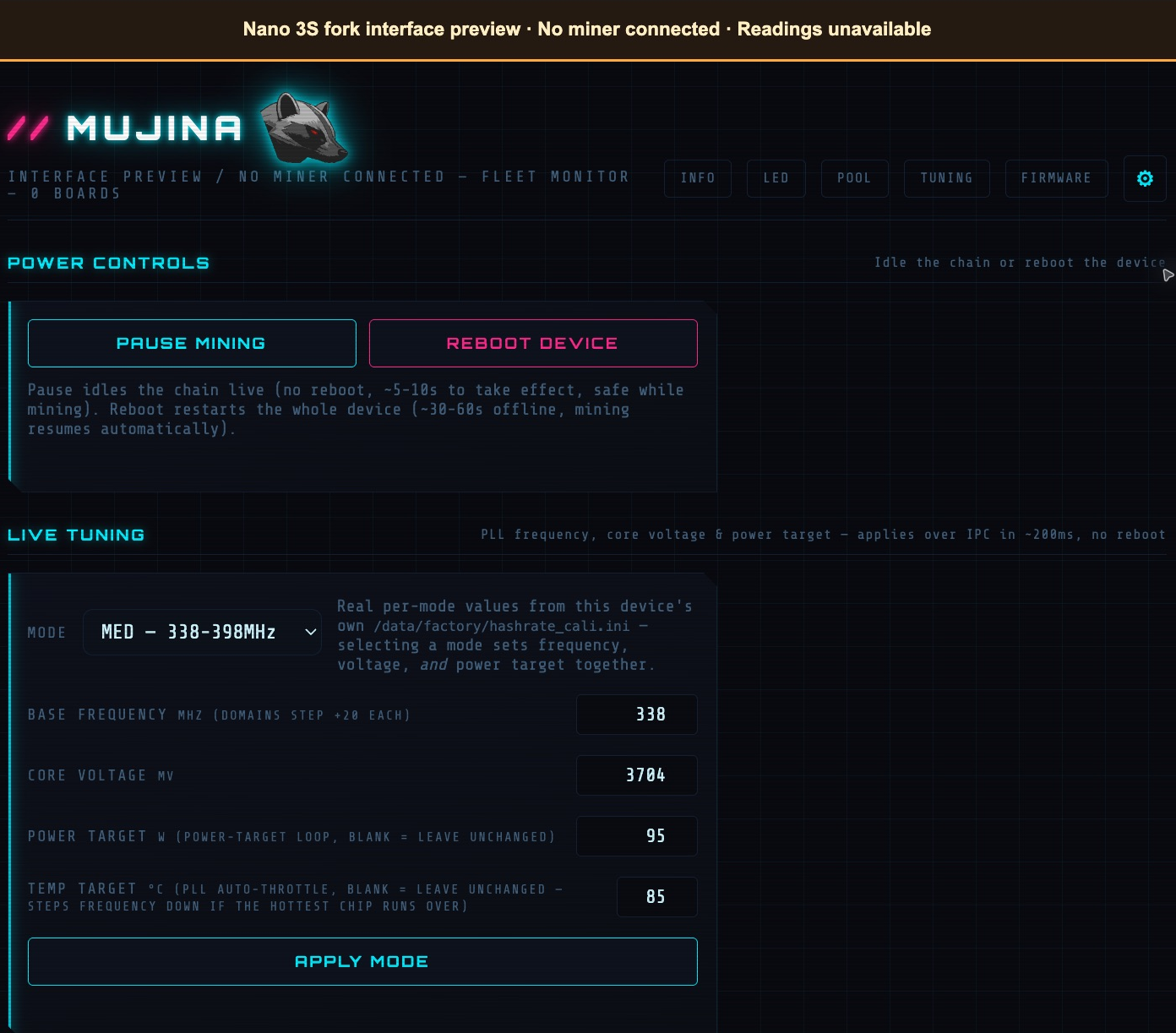
Controls depend on the exact fork and build. The mainline API pause limitation described later does not describe the Nano fork’s separate board-control implementation. Conversely, a visible Nano control does not prove its behavior on every device or establish a safe overclock. No physical tuning or pause test is demonstrated here.
Firmware images, bundles, and release differences
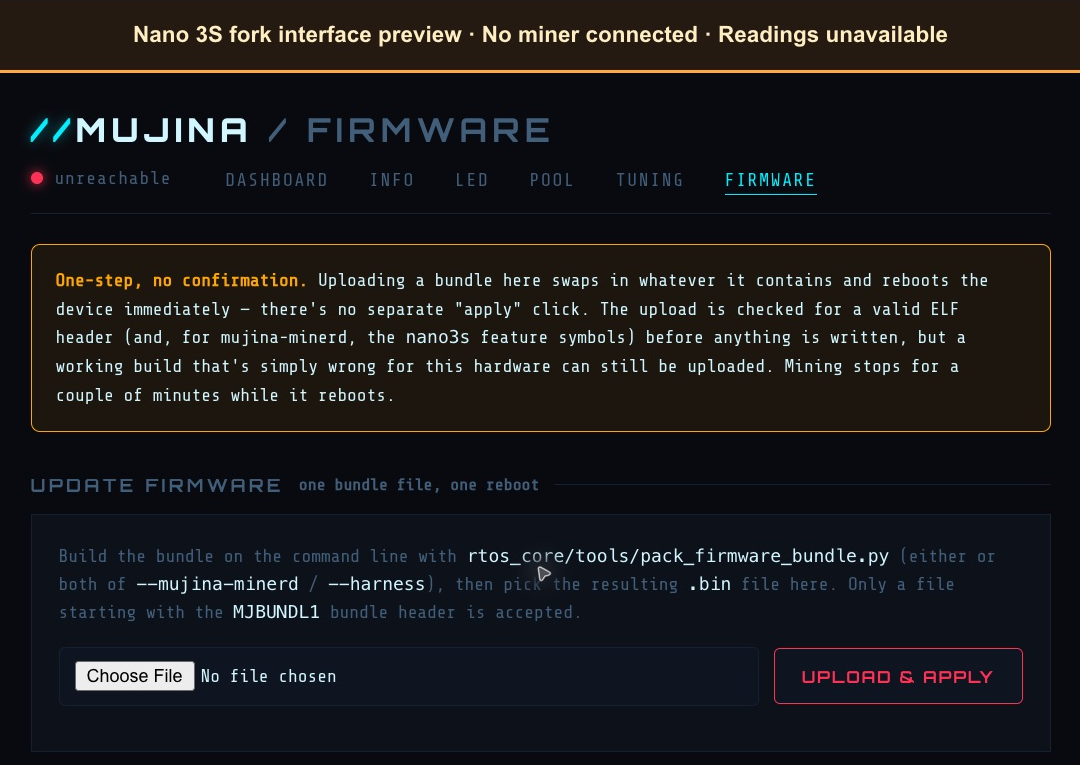
The fork publishes hardware-specific alpha firmware. Alpha-v3 includes a full-device .kdimg image and an update bundle. Alpha-v4’s release notes and download provide a network-update bundle only, not a new full-device image. A bundle updates an already compatible installation; it is not interchangeable with a complete device image.
The Pool page stores connection settings and applies them through a device reboot. The fork’s later source commits also fix outlet-temperature reporting and autotuner behavior, so the alpha-v4 interface should not be mistaken for a guarantee that every later fix is included in that release. In particular, later fixes address a misleading flat 50°C outlet reading. Check the exact installed build and current developer instructions before interpreting telemetry or changing firmware.
The fork’s network API has no authentication layer in this source snapshot, including effective hardware controls and firmware update routes. Keep access restricted to a trusted, isolated network; do not expose the dashboard or API directly to the internet. This overview is not a flashing procedure.
Mujina, Ember One, Libreboard, and Hydrapool
These projects address different layers: Mujina is mining software, Ember One is a hashboard, Libreboard is a control-board project, and Hydrapool is mining-pool software. They are related efforts rather than four interchangeable names for one miner.
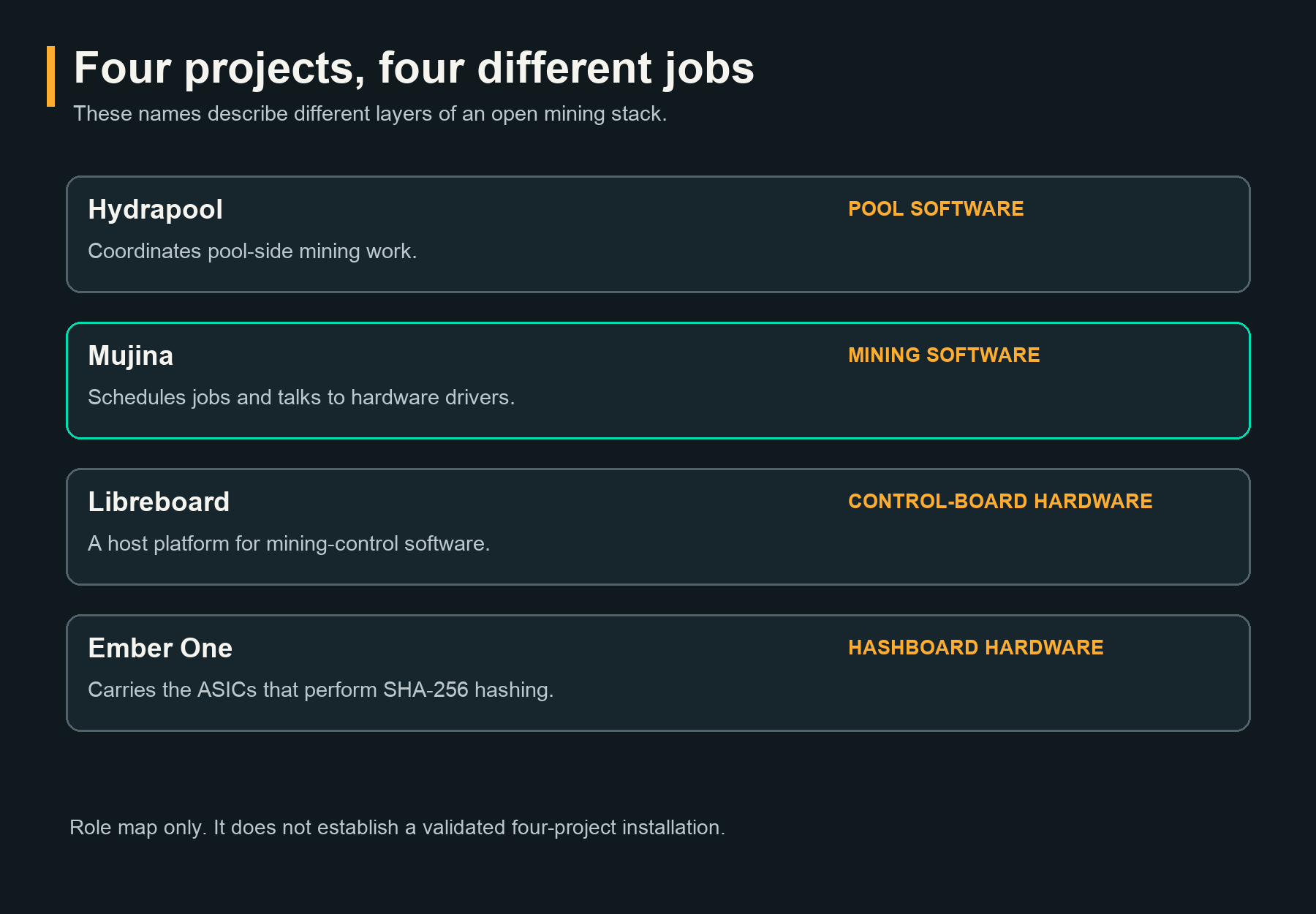
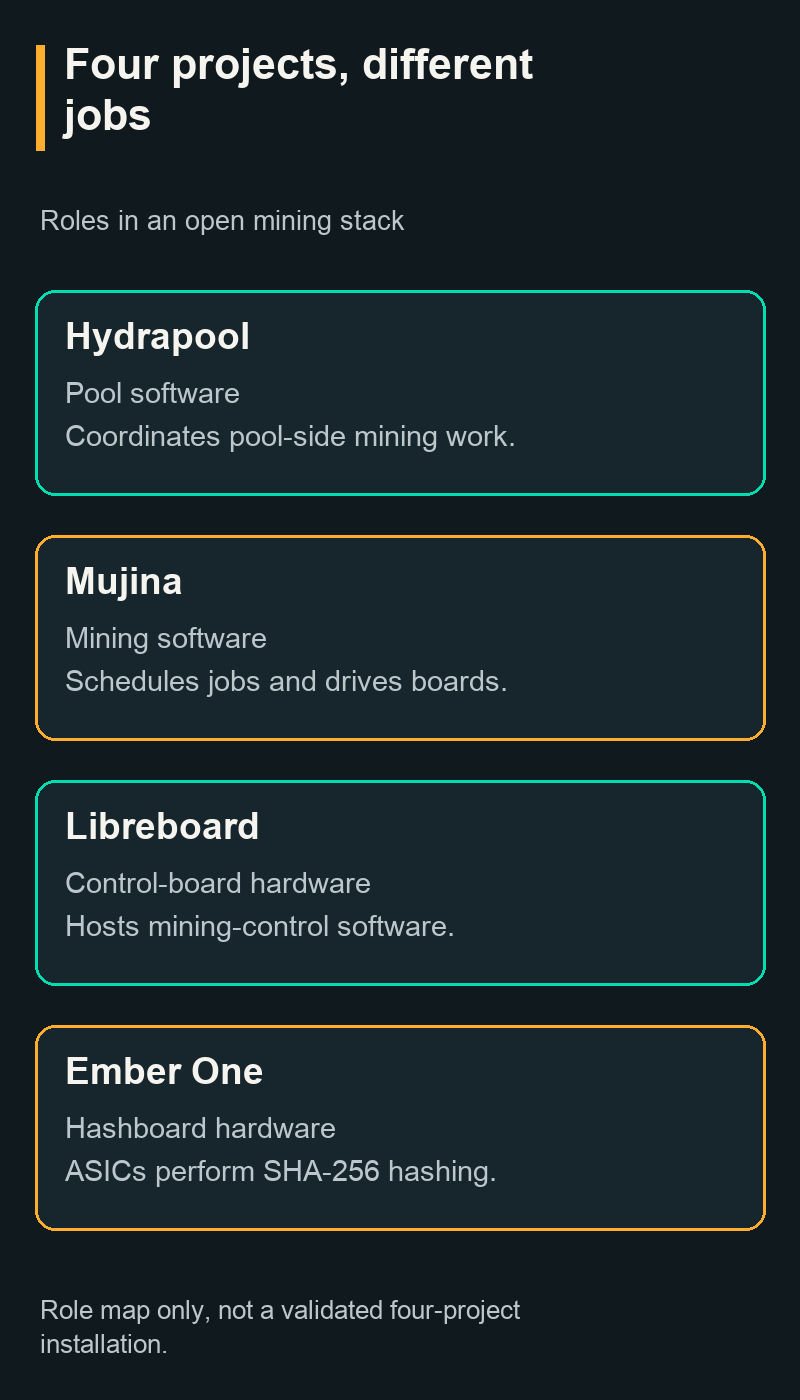
- Mujina: The mining core, drivers, and API that coordinate hashing work.
- Ember One: Hardware carrying ASICs and supporting circuitry. Our guide to Ember One’s hashboard and USB interface goes into its board design and system requirements.
- Libreboard: Open-source control-board hardware, a potential host platform rather than the hashing chips themselves.
- Hydrapool: Open-source pool software, which serves a different role from a daemon driving a local hashboard.
The role map does not establish a validated installation combining all four projects. Each component has its own development state and interfaces. Software openness also does not make the ASIC silicon itself open-source; the ASIC chip independence guide explains that separate hardware-supply question.
Try Mujina Without a Mining Device
You can build Mujina and run its CPU backend against a dummy job source without connecting a miner or a pool. This exercises the software pipeline and API; it is not a demonstration of profitable CPU mining or measured ASIC performance.
The example below uses one CPU thread at a 10% duty cycle, disables USB discovery, and binds the API to the local computer. The source snapshot compiled and ran on an Apple Silicon Mac on November 14, 2026, using Rust 1.99.0 and existing native build tools. No ASIC or pool was used.
1. Prepare the build tools
You need Git, a current stable Rust toolchain, and the native dependencies for your operating system. The current README supports Linux and macOS; older tutorial text describing Linux alone does not reflect that newer build guidance.
On Debian or Ubuntu, the project identifies libudev-dev and libssl-dev as dependencies. On macOS, use Xcode Command Line Tools and ensure the build can find OpenSSL. Consult the current build requirements for platform details. A Windows-native procedure is not established here.
2. Clone and build the source snapshot
Use a new working directory and select the commit used for this example. Pinning the source makes the demonstration reproducible; it also means you are deliberately running that snapshot rather than automatically following future changes.
git clone https://github.com/256foundation/mujina.git
cd mujina
git checkout f7c45b4668029dbd16adbfd043146f8487795dc8
cargo build --locked --release --bin mujina-minerd
Success produces the daemon under target/release/ with Cargo’s default target directory. If your environment sets CARGO_TARGET_DIR, use that directory’s release/mujina-minerd path instead.
3. Start a local dummy-job run
Run the command below from the repository directory in a Unix shell. It removes inherited pool variables so a previous shell configuration cannot silently turn this example into a pool connection.
env -u MUJINA_POOL_URL \
  -u MUJINA_POOL_USER \
  -u MUJINA_POOL_PASS \
  -u MUJINA_POOL_FORCED_RATE \
  MUJINA_USB_DISABLE=1 \
  MUJINA_CPUMINER_THREADS=1 \
  MUJINA_CPUMINER_DUTY=10 \
  MUJINA_API_LISTEN=127.0.0.1:7785 \
  ./target/release/mujina-minerd
Look for messages saying USB discovery is disabled, the CPU miner is enabled, and the dummy job source is selected. The API should report its address as http://127.0.0.1:7785. If it reports a pool connection instead, stop the process and check your command and environment.
4. Inspect the live API
Open http://127.0.0.1:7785/swagger-ui/ in a browser on the same computer. Expand GET /api/v0/miner, choose Try it out, and select Execute to request the daemon’s actual state.
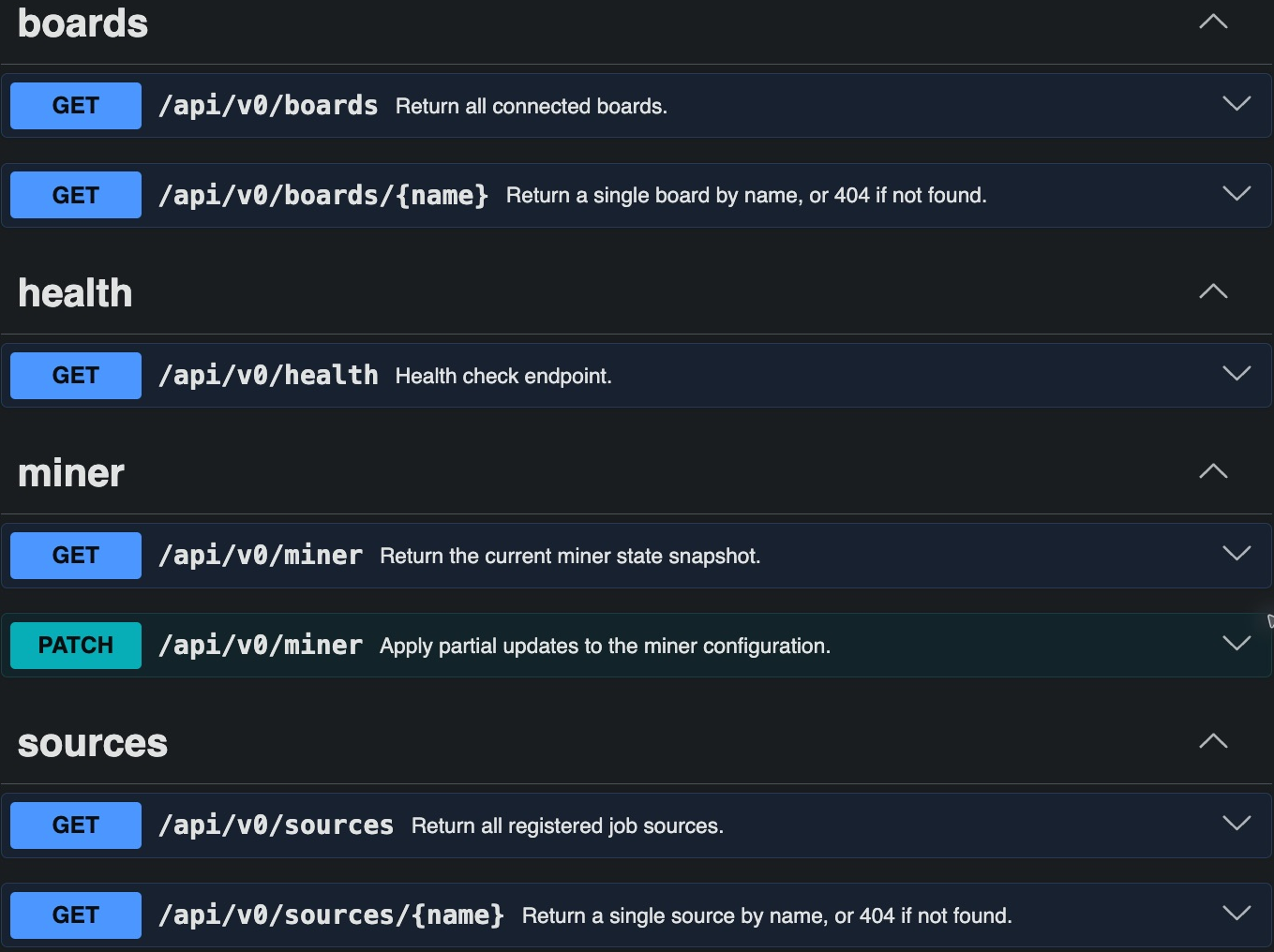
The Swagger interface is the API explorer supplied by the software, not a finished MujinaOS dashboard. In this snapshot, its header retains the underlying utoipa-axum generator’s title. You can also inspect the miner directly from a second terminal:
curl http://127.0.0.1:7785/api/v0/miner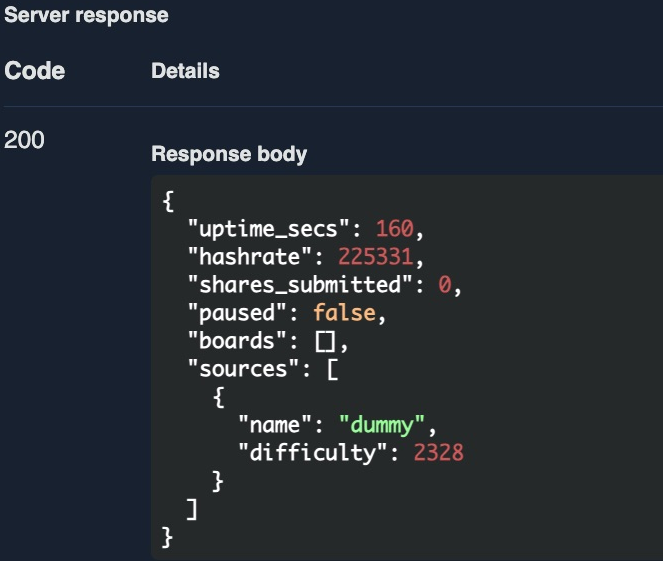
The captured response returned HTTP 200, identified the source as dummy, and reported zero submitted shares. Its hashrate was a momentary CPU reading, not an ASIC result. The boards array was empty in this run despite CPU hashing being active, so do not use that array alone as proof that the CPU backend has stopped.
5. Stop the demonstration
Press Ctrl+C in the terminal running the daemon. With no other Mujina process using the port, the local API will stop responding.
If port 7785 is already occupied, stop your earlier test or select another loopback port, such as MUJINA_API_LISTEN=127.0.0.1:7786, and adjust the browser and curl addresses. An openssl-sys build error usually calls for checking the platform’s OpenSSL installation and discovery settings rather than changing miner firmware.
What the API Can Tell You, and What Is Still Unfinished
The pinned mainline API exposes health, miner, board, and source routes. The Nano 3S fork adds its own routes and dashboard, as described above. It is useful for observing the software, but the presence of an endpoint, request type, or telemetry field does not prove that a complete user-facing hardware control exists.
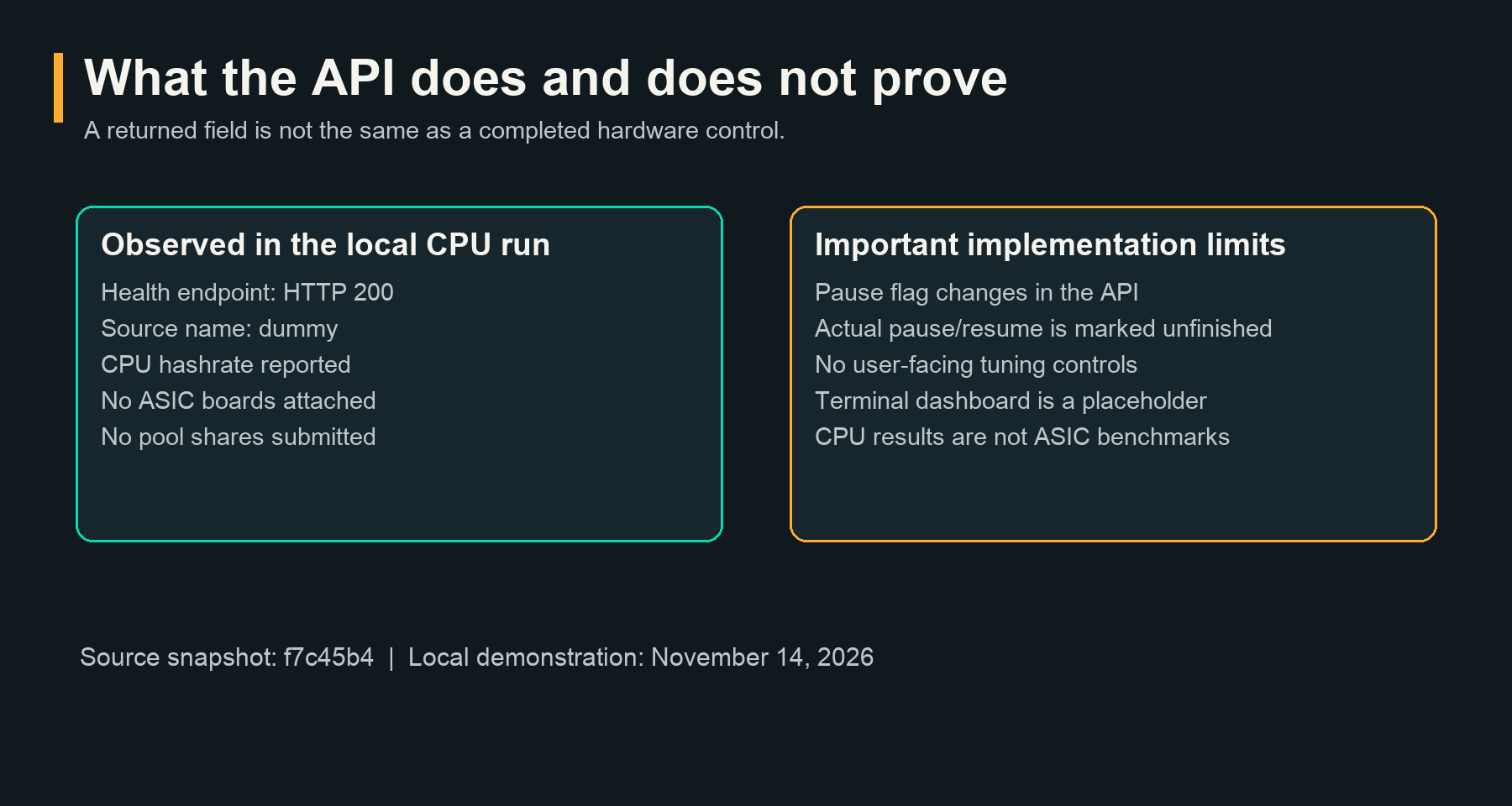
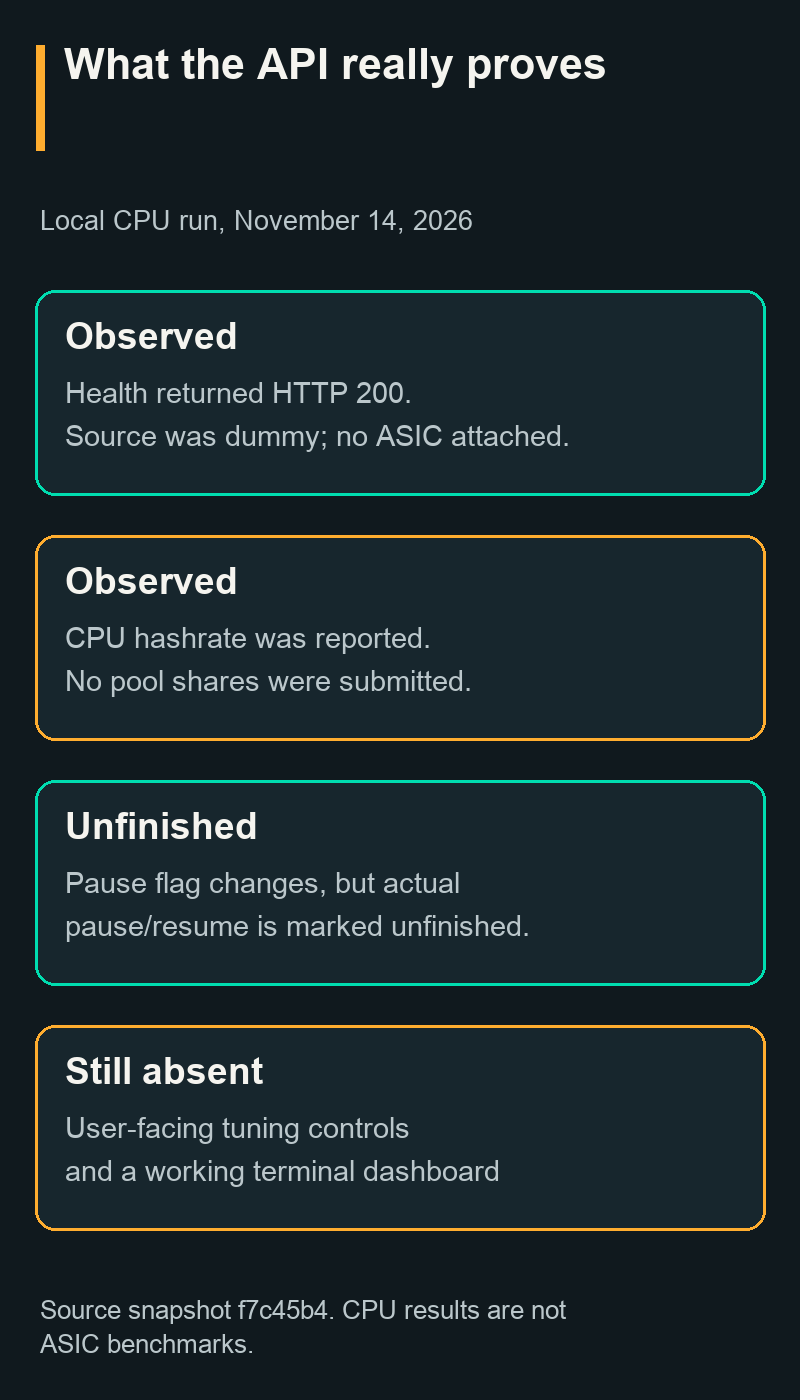
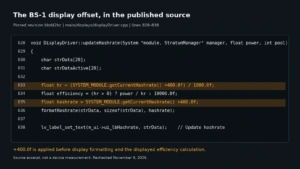
Pause/resume needs particular care. The pinned October 27 source snapshot accepts a paused value through PATCH /api/v0/miner and changes the returned flag. However, its scheduler logs the action as “not yet implemented.” The local test confirmed both the flag change and that warning. Do not rely on this flag to stop a physical miner or make hardware safe to handle.
The July status page describes pause and resume more positively. The relevant distinction is observable implementation behavior in the specific build. The same caution applies to internal fan-command types: their presence in source does not make them a published, functional API route. This snapshot’s route list contains no fan-setting endpoint.
The mujina-tui binary is also a placeholder in this snapshot, not a finished interactive dashboard. The API is explicitly versioned v0, and its source warns that interfaces can change before 1.0.
Keep the experimental API local
The daemon binds to loopback by default, and the current API has no authentication layer. Keep the example on 127.0.0.1; binding it to 0.0.0.0 exposes it to other network clients.
That matters even when a particular control is incomplete today. Future builds can add effective commands, and telemetry can reveal operational details. Remote access should use an appropriately authenticated and isolated arrangement rather than treating an open API port as a normal web dashboard.
Current Limits and Who Mujina Is For
Mujina is most useful today for developers, technically experienced experimenters, and people learning the mining software pipeline. The documented installation and feature gaps do not support presenting it as a drop-in, fleet-ready replacement for arbitrary commercial firmware.
- Pool support: The current daemon selects one Stratum v1 pool connection. The architecture’s ability to represent job sources does not establish working pool failover or Stratum v2 support.
- Tuning: The pinned mainline snapshot lacks a finished user-facing tuning interface. The Nano 3S community fork separately documents frequency, voltage, power-target, fan, and autotuning controls.
- Efficiency: The project’s status page supplies no measured J/TH figures. The CPU example provides no basis for an ASIC efficiency comparison or a claimed savings percentage.
- Installation: Broader mainline MujinaOS control-board images remain a goal. The Nano 3S fork separately publishes device-specific alpha images and update bundles; they do not establish support for other miners.
- Hardware maturity: Mainline drivers, work in forks, and unmerged prototype branches need separate compatibility claims.
If you want to explore the architecture, start with the CPU example and inspect how work, shares, and telemetry move. If you want to experiment with real hardware, verify the latest exact-board instructions and recovery procedure first. If you need predictable unattended mining, assess the available operating controls, monitoring, recovery behavior, and measured performance before replacing an established setup.
Frequently Asked Questions
Sources and Version Context
The software example uses Mujina commit f7c45b4668029dbd16adbfd043146f8487795dc8, dated October 27, 2026. The local build and CPU-only demonstration took place on November 14, 2026. Hardware-status statements identify the separate July 2026 documentation where relevant.
- Pinned Mujina source, including the README, architecture, Gamma requirements, scheduler, API routes, and terminal-interface stub.
- Where Mujina Is Today, the project’s dated feature and readiness explanation.
- Official first-run tutorial, for the project’s introduction to the CPU backend.
Diagrams show software functions and project roles, not electrical wiring or a validated hardware assembly. API figures are genuine captures from the local CPU-only run. Nano 3S figures render the fork’s alpha-v4 interface, commit 7f2a6defae2138b6606c1a791f34849b97c62179. The telemetry illustration uses only the cited developer-reported endpoint; other fields are unavailable. No Nano 3S hardware was tested for this guide. The hero uses the original Mujina project headmark.